

 Back
Back Русский
 Английский
Oct 18, 2025
Add your own stream placeholder
Give viewers a clear message when you pause a stream or temporarily lose the connection. StreamVi lets you choose a placeholder image or short video for each situation.
Open the placeholder gallery
Open Settings → Streaming in the project you want to configure. Find the pause or connection-loss placeholder and click See all.
These are separate settings: choosing a pause screen does not also change the screen used during a connection loss.
Upload your file
Click Choose file or drag an image or video into the upload area. The dialog lists supported formats, a 300 MB file-size limit, and a 30-second video limit. Upload availability and the number of custom files depend on your plan.
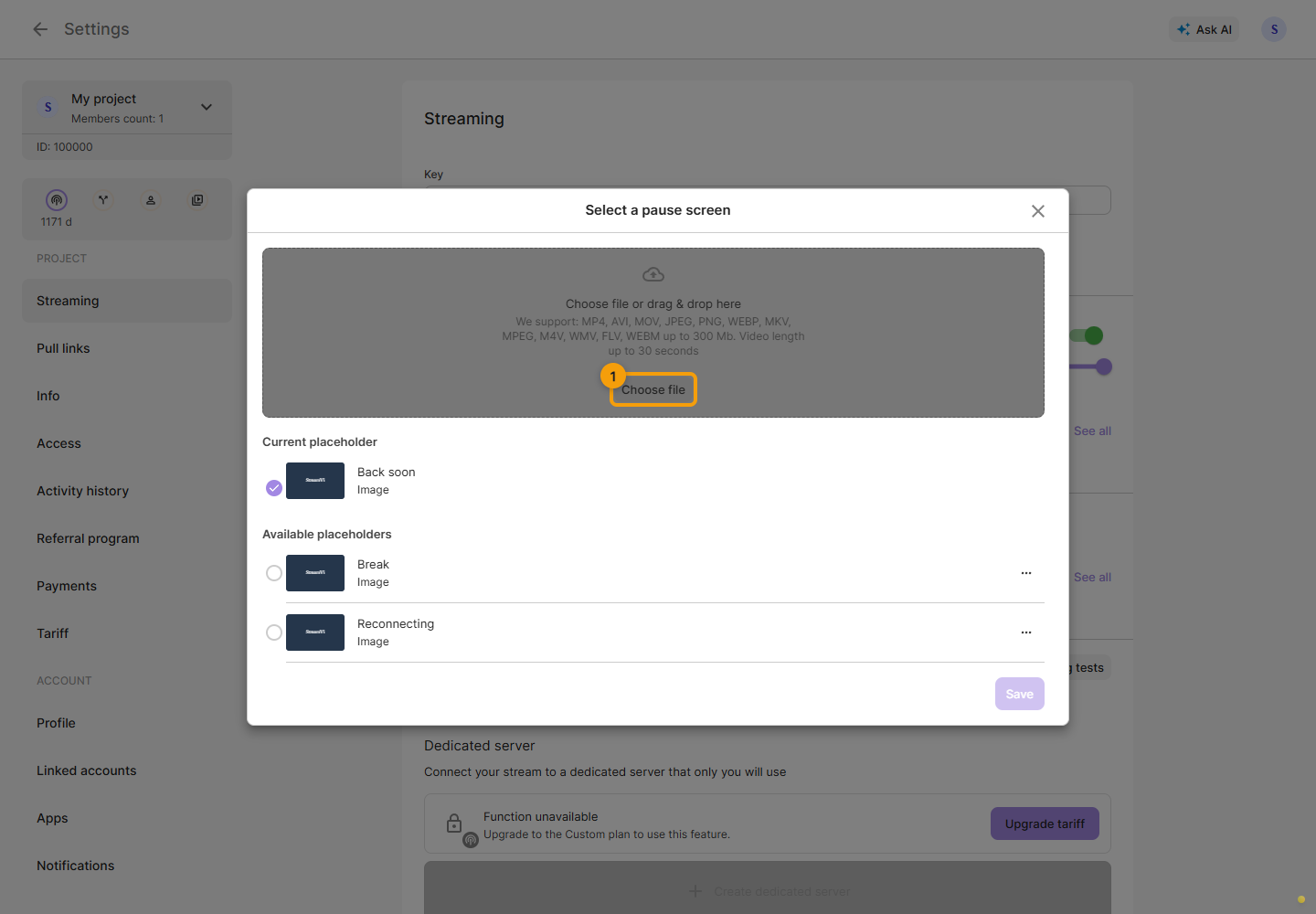
Wait for the file to finish processing before selecting it.
Select and save
Select the image or video in the gallery, then click Save. Selecting a file alone does not apply the change.
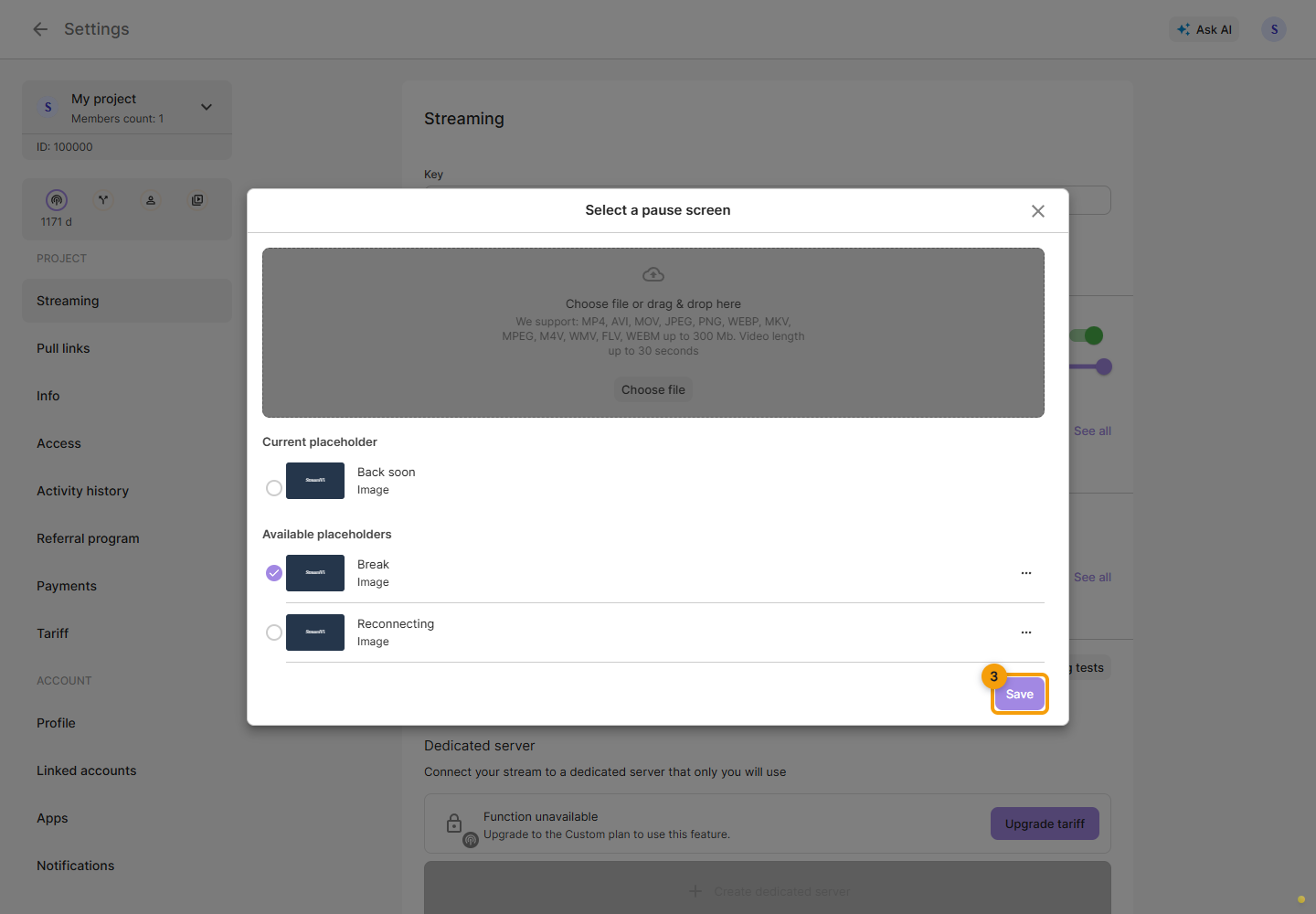
The screenshots use example files. Repeat the selection in the other gallery if you also want to change the placeholder for the other situation.
Editable files can be renamed or deleted. To delete a file currently used for a pause or connection loss, first select and save a replacement.
See the placeholder documentation for more details.
