

 Back
Back Русский
 Английский
Jul 1, 2026
Top up StreamVi from abroad with crypto payments
StreamVi has added crypto payment options for users outside Russia. The July announcement included TON, USDC and ETH on Base, USDC and ETH on Ethereum, and USDT on Tron.
Currently available methods and the billing currency depend on the country in your payment settings. Use the options shown in your Cabinet when making a payment.
Choose a payment method
- Select the project you want to fund and open Settings → Payments.
- Open Payment settings, enter your country, and choose an available method.
- Complete the receipt email and other required fields, then save.
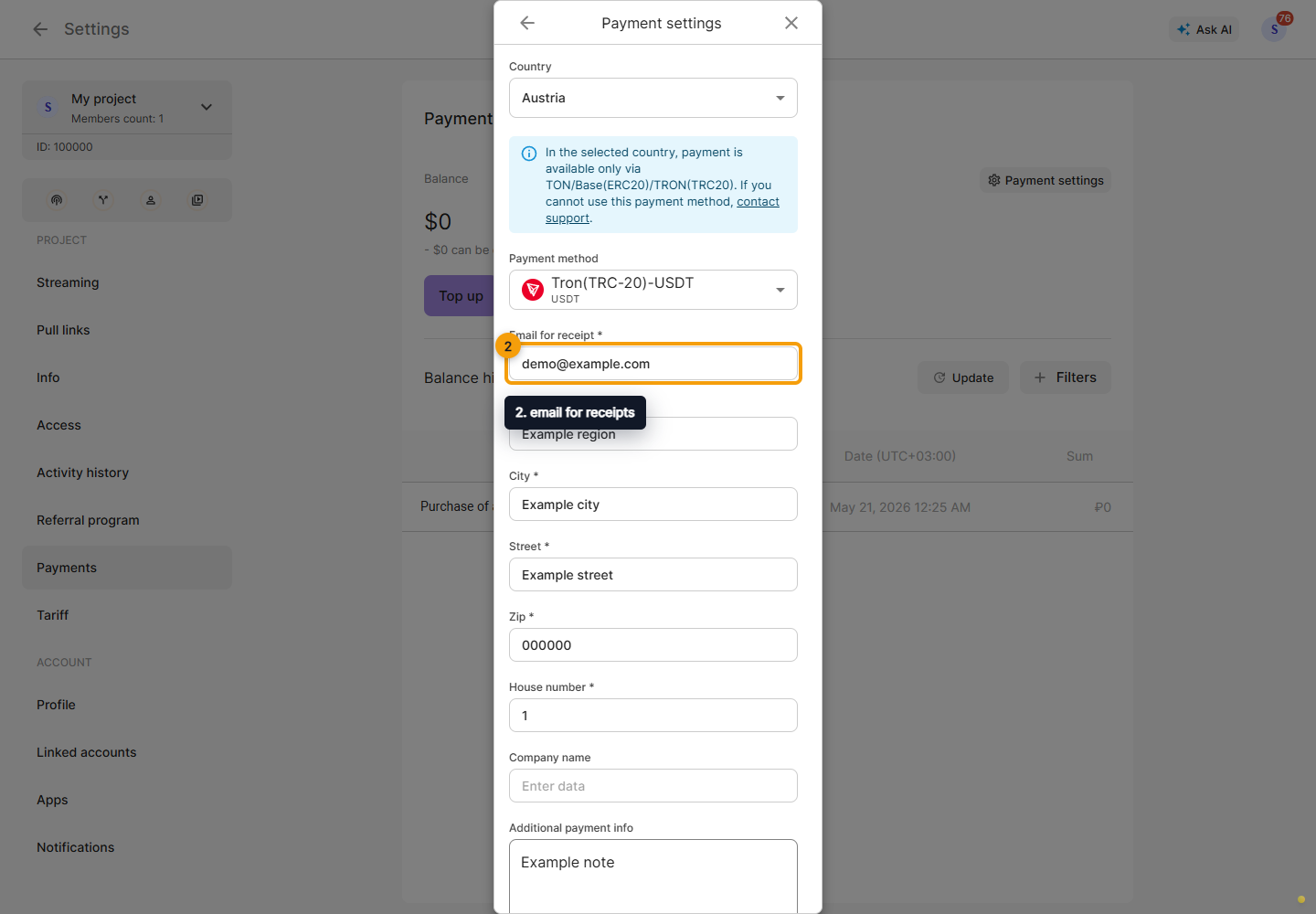
Choosing a method does not itself add funds or activate a plan. The balance belongs to the selected project.
Add funds
Click Top up, enter an amount, and follow the instructions for your selected method. Depending on the method, you will connect a wallet or send a transfer using the details in the generated invoice.
Before confirming, check the coin, network, amount, and destination details. USDC on Base and USDC on Ethereum, for example, use different networks. Use the address and amount from the current invoice, rather than a previous transaction or someone else's example. If the invoice expires, complete payment within its validity period or generate a new one.
With a connected wallet, approving token access may be a separate step. Approval alone is not a completed payment. You may also need the network's native currency to cover transaction fees.
After transferring funds, return to Payments, refresh the history, and check that the balance has been credited. Do not send another payment solely because confirmation has not appeared yet.
See the billing documentation for instructions for individual methods.
