

 Back
Back Русский
 Английский
Oct 21, 2026
Meet the AI assistant in StreamVi
StreamVi now has an AI assistant built into the dashboard. Ask a question about the service or describe a setup task in plain language. The assistant can explain features and help carry out the changes you need.
What the assistant can help with
- Explain StreamVi features and help you find the right setting.
- Guide you through preparing a broadcast and connecting streaming platforms.
- Change settings using the functions available to you in the dashboard.
Start with a question such as “How do I add a VK channel to this project?” Or describe a task: “Help me change the broadcast title and description.” Include the project, channel and desired result to make your request clear.
Open the assistant
Click Ask AI in the top-right corner of the dashboard. The chat opens on the right on desktop and fills the screen on a phone.
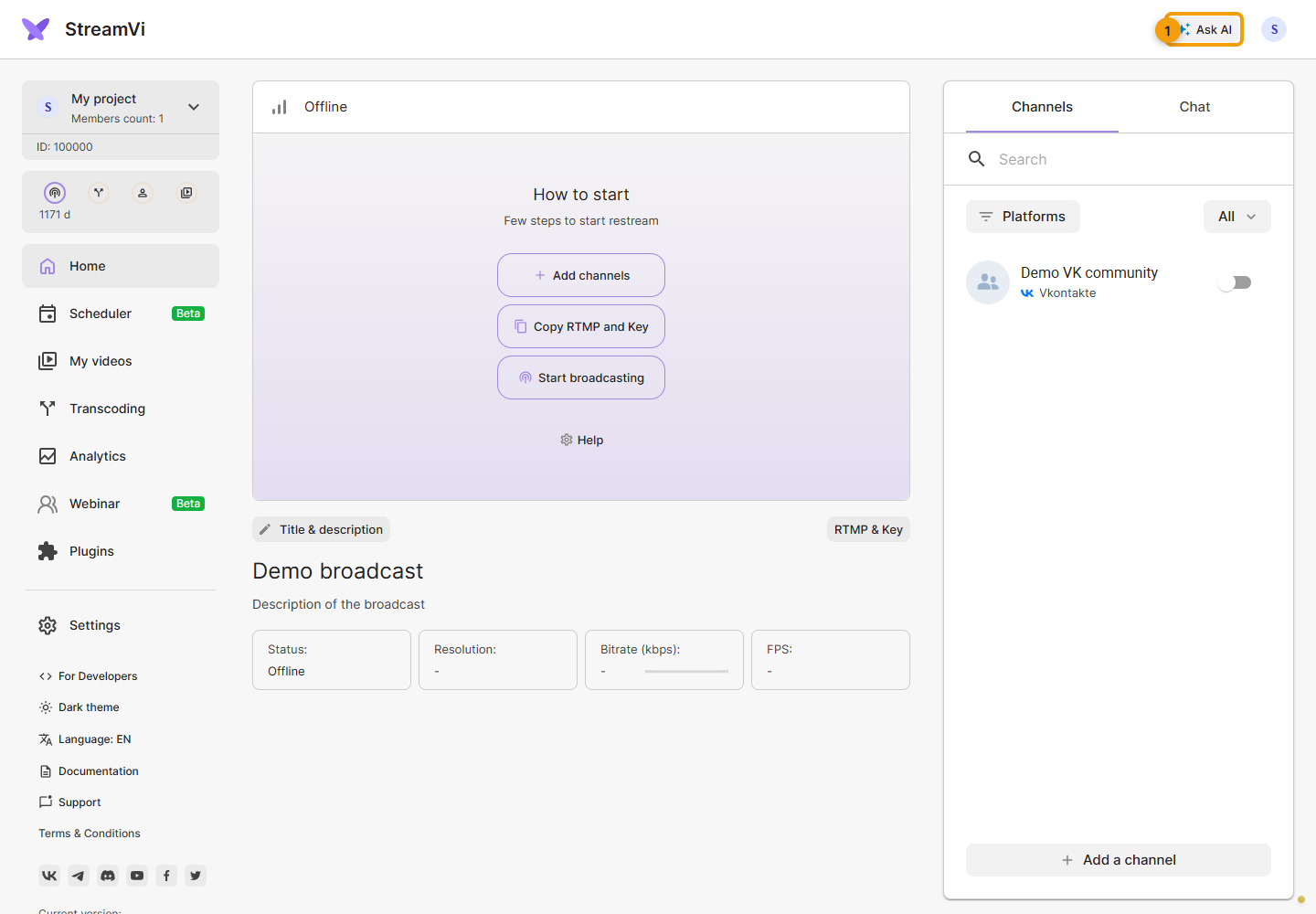
Type your question or task in the chat. If you need help with a particular step, explain what you have already tried and where you got stuck.
For more details on using the panel, see the StreamVi documentation.
