

 Русский
 Английский
Disconnect protection
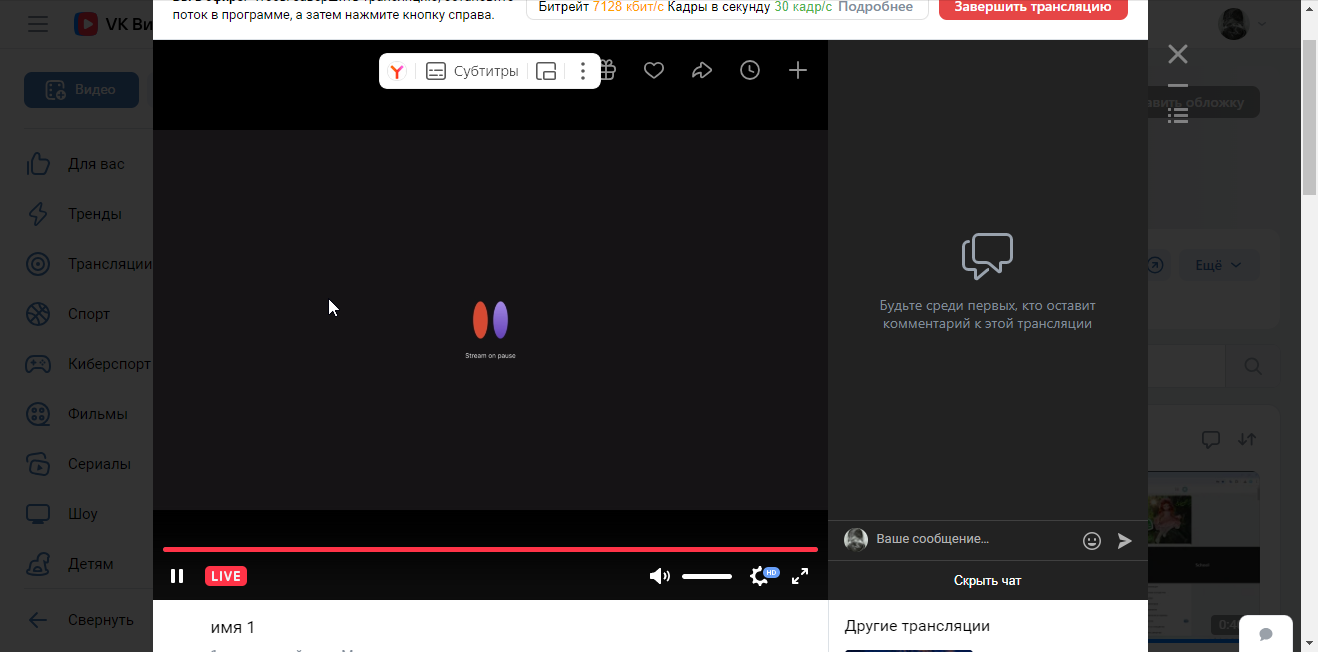
If your streaming source (e.g., OBS) disconnects, viewers will see a video placeholder instead of the stream.
Once the source reconnects, the stream will automatically switch back to your feed.
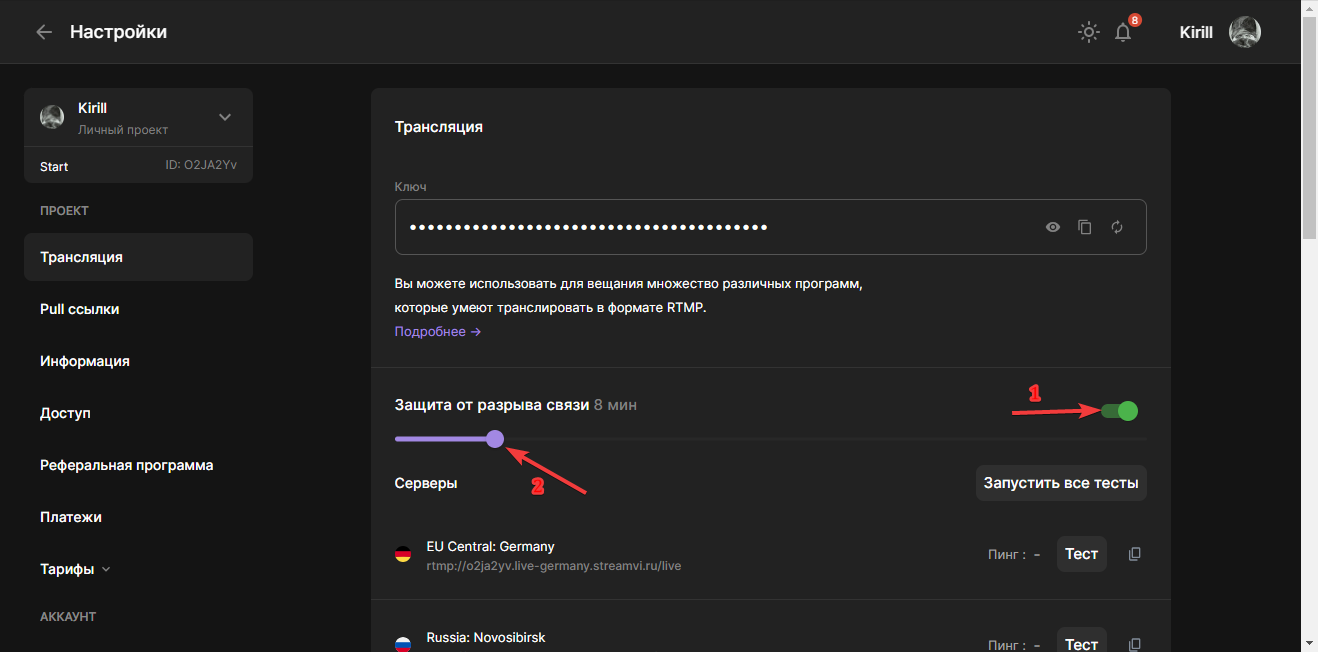
You can activate the connection loss protection feature in settings. To do this, enable option (1) and specify the time (2) after which the stream will automatically end if the connection is not restored.
If you intentionally end the stream in the program, the placeholder won't be shown — the stream will simply end.
To forcefully end the stream when a disconnection is detected, open the top status panel and click the "Stop" button that appears.
