

 Back
Back Русский
 Английский
May 1, 2026
Add a StreamVi viewer counter to OBS
StreamVi's plugin catalog now includes a viewer-count widget. Add it to an OBS scene to display audience numbers directly over your broadcast.
Install the widget
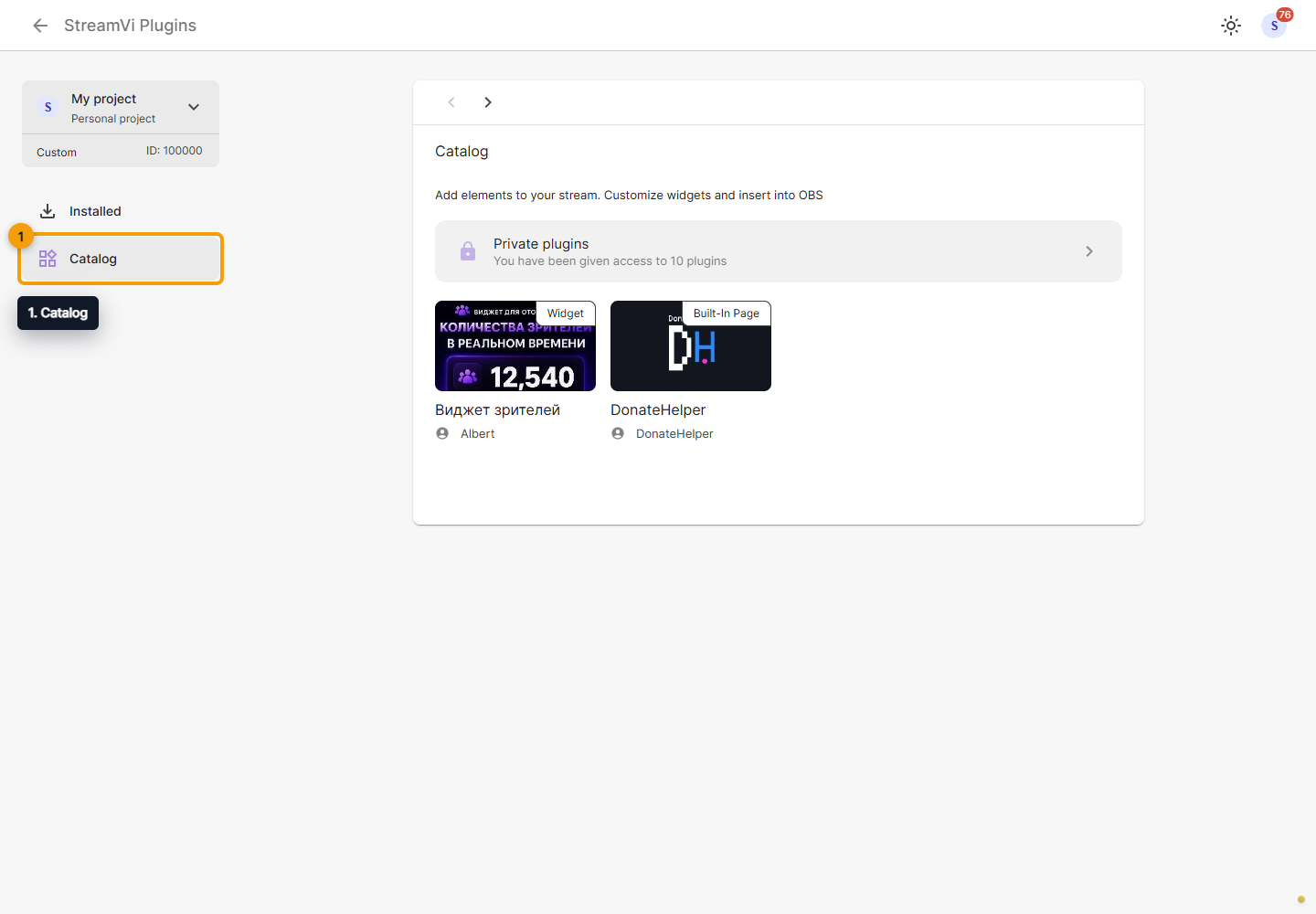
- Select the project you want to use and open Plugins → Catalog.
- Find the viewer-count widget, open its card, and click Install. Its catalog title may appear in Russian as «Виджет зрителей».
- Review the requested permissions and authorize access to the selected project.
- Click Launch to open the installed plugin.
Authorization applies to a particular project. If the counter appears to use another project's data, check where the plugin was installed and launched.
Add it to your OBS scene
Inside the widget, create or select a template, customize its appearance, and copy its embed URL. Use the URL provided for OBS, rather than the address of the settings page.
Add a Browser source in OBS, paste the URL, and set the source dimensions. Position it above the scene layers it should overlay. Check that the numbers remain readable on both bright and dark backgrounds.
Check the live result
The counter uses audience data that StreamVi receives from connected platforms. Platforms can update their counts at different intervals, so the widget and an individual player may not change at exactly the same moment.
If the widget offers a demonstration mode, turn it off before going live. Sample numbers help you preview the design but do not represent your actual audience.
See the plugin documentation for installation and template setup.
