
OBS
OBS Studio is a streaming and recording application for Windows, macOS and Linux.
Connect to StreamVi
In StreamVi, select the project, add channels and copy the server address and key from Home → RTMP and Key. See the illustrated setup guide.
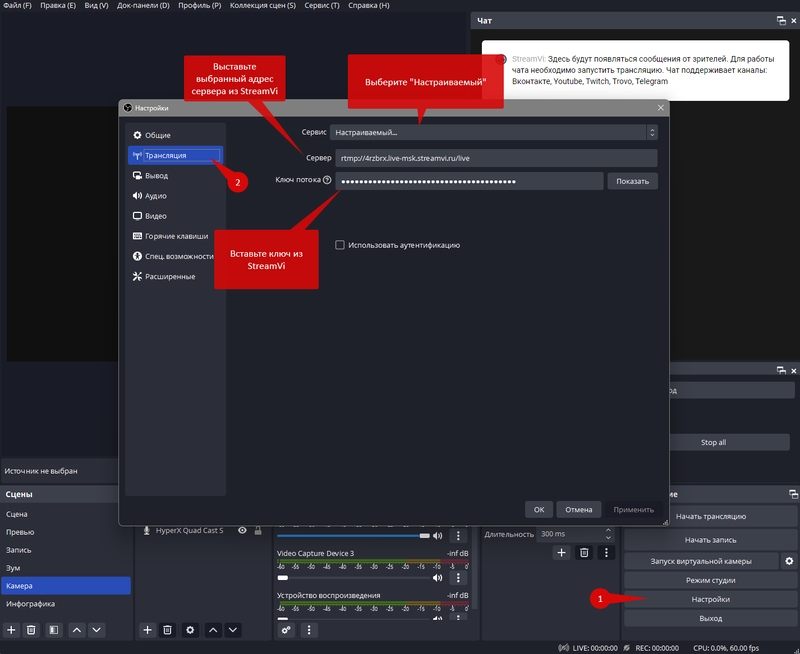
In OBS, open Settings → Stream. Select Custom under Service, paste the address into Server and the key into Stream Key, then click OK. Use your project's current values from the Cabinet, not the address in the screenshot.
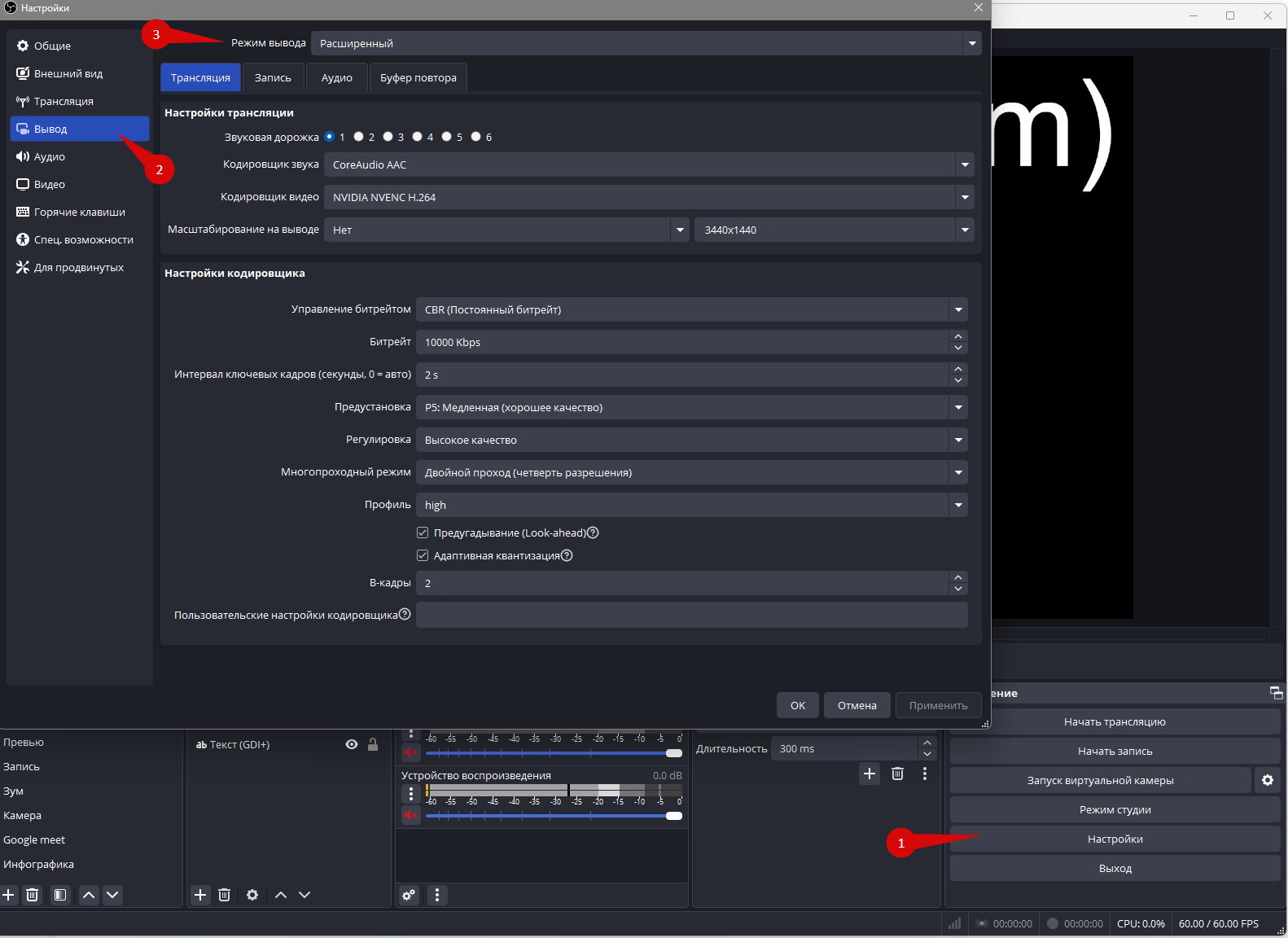
Output mode
Open Settings → Output, set the output mode to Advanced and select the Streaming tab. Control names and positions may differ in your OBS version.
Choose an encoder
Under Video Encoder, choose an H.264 option suitable for your computer. x264 encodes video on the CPU. H.264 is a video format: both the software encoder x264 and hardware encoders can produce it. The letter “h” does not mean hardware encoding.
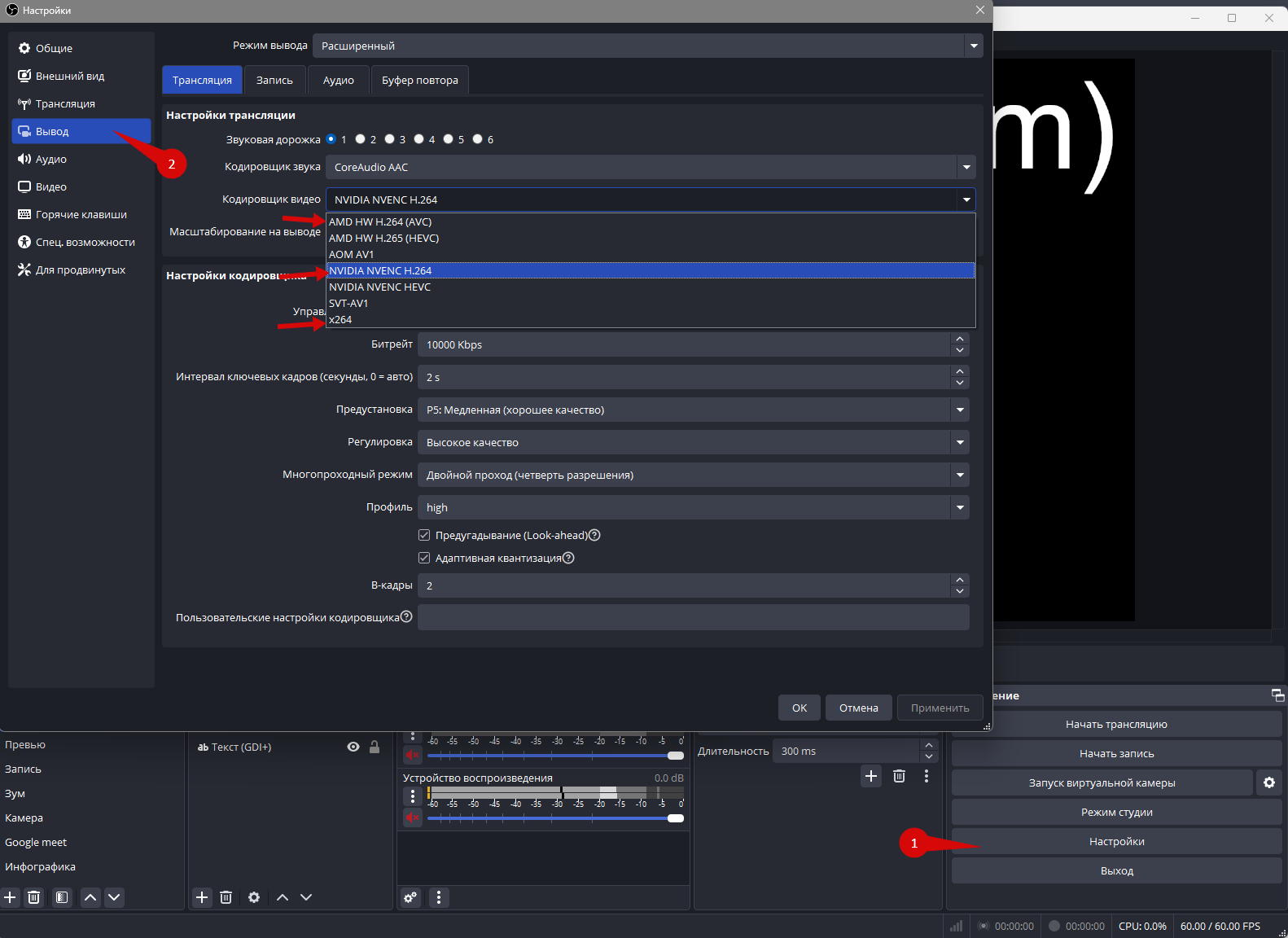
NVIDIA NVENC H.264, AMD HW H.264 / AMF and Intel Quick Sync H.264 / QSV use the corresponding graphics device's encoding hardware when available. This reduces CPU encoding work, but OBS still uses resources for scenes, sources and audio. The AMD HW H.264 name alone does not identify integrated versus discrete graphics.
Start with an available hardware H.264 encoder, especially when running a game or another demanding application. If there is no suitable hardware option, use x264 and check the load. Quality and stability depend on hardware generation, settings and bitrate; there is no universal ranking of vendors. See the OBS hardware-encoding guide.
Choose bitrate, resolution and FPS based on your destination platforms and project plan, rather than copying every value from the example. Save the settings, enable the required StreamVi channels and start streaming in OBS. Then check the incoming stream and the result on each platform.