
Streamlabs Desktop
Streamlabs Desktop supports Windows and macOS. See the developer's system requirements.
Connect to StreamVi
In the required StreamVi project, open Home → RTMP and Key and copy the server address and key. See the illustrated setup guide.
In Streamlabs, open Settings → Stream and choose streaming to a custom destination. The screenshots show an example interface; labels and control positions may differ in your version.
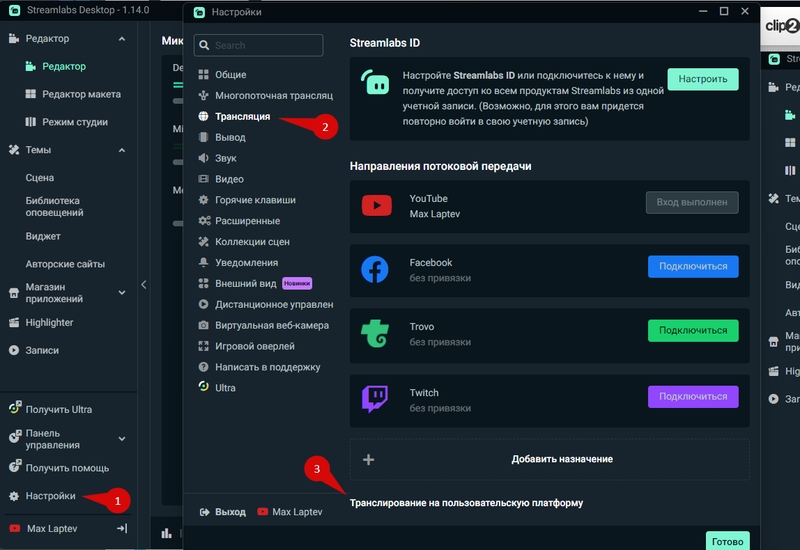
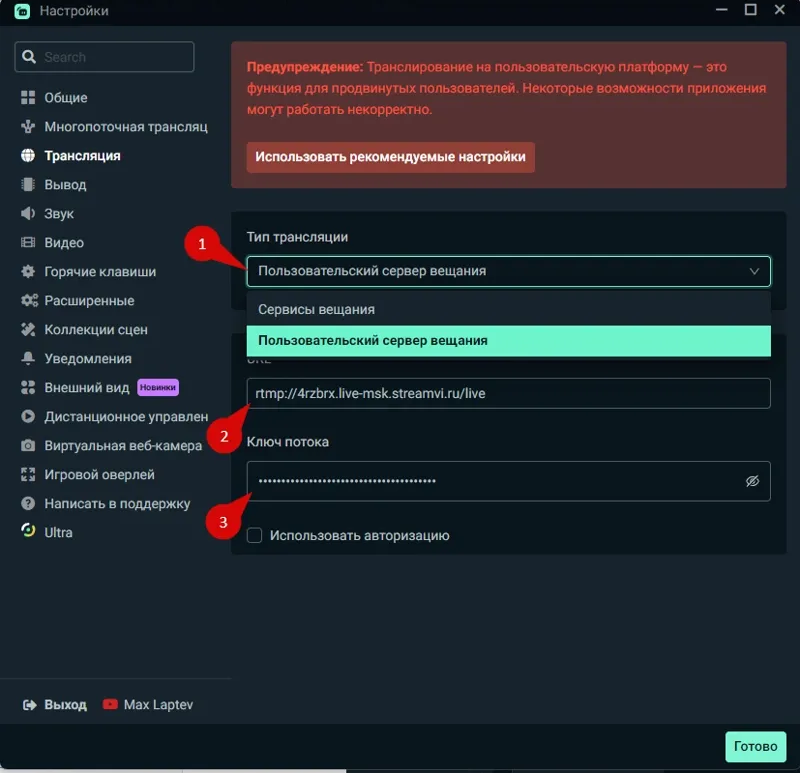
Select the custom streaming-server option. Paste the address into Server and the key into Stream Key, then click Done.
Enable the required StreamVi channels and start streaming from Streamlabs. Then check the incoming stream and destination platforms.