
Message filter
First connect a Telegram group, then open Chat in the corresponding StreamVi channel settings.
For the connected group, open Message filter and select a mode:
| Mode | Messages collected |
|---|---|
| All | Messages from the connected group without selecting a post |
| From the latest published post | Discussion of the latest post |
| From the latest post published at stream start | Discussion of the post determined for the start of the broadcast |
| Select a post manually | Discussion of your selected post |
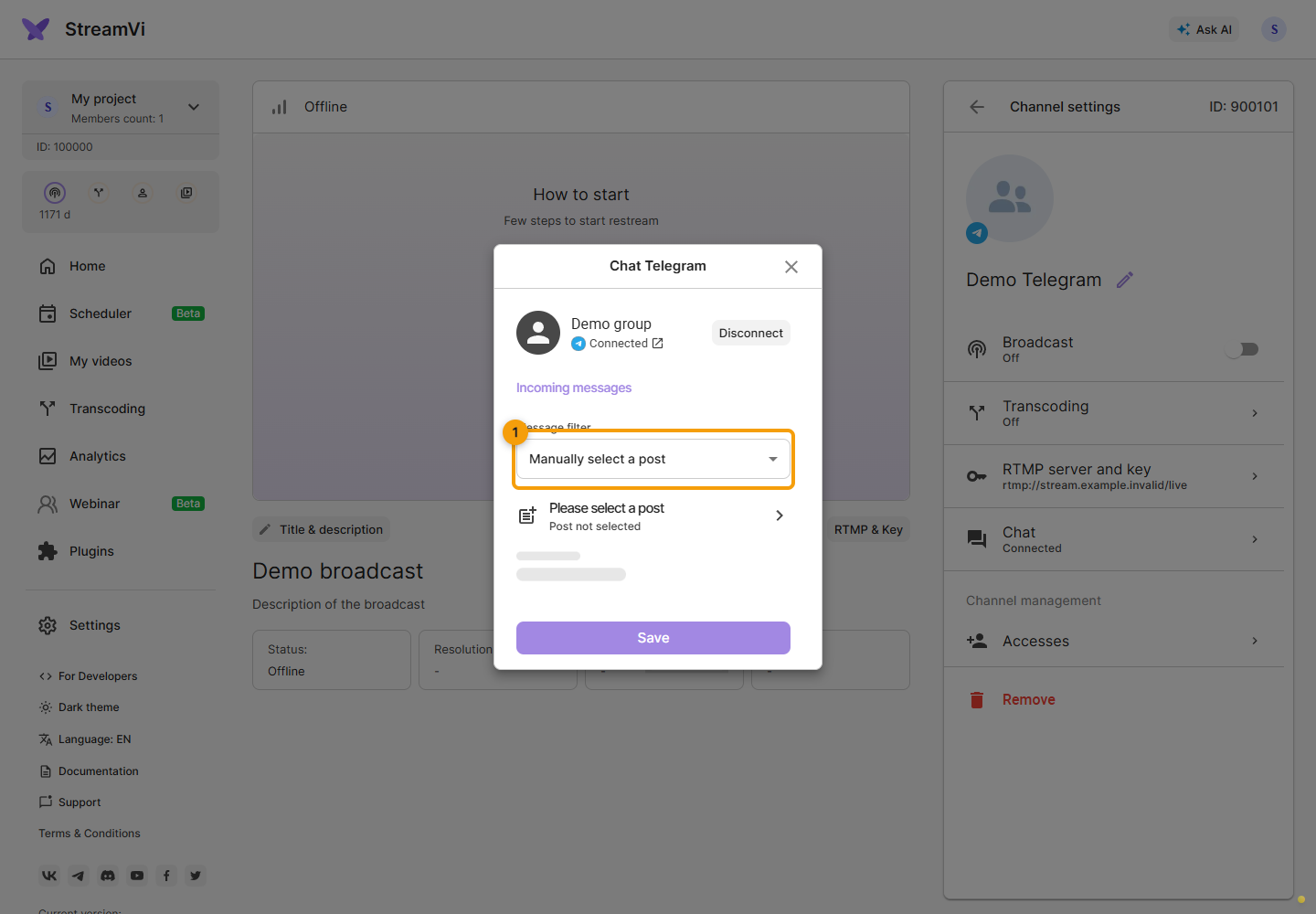
The screenshots use a demo group and command. Use the command issued by your own Cabinet when connecting.
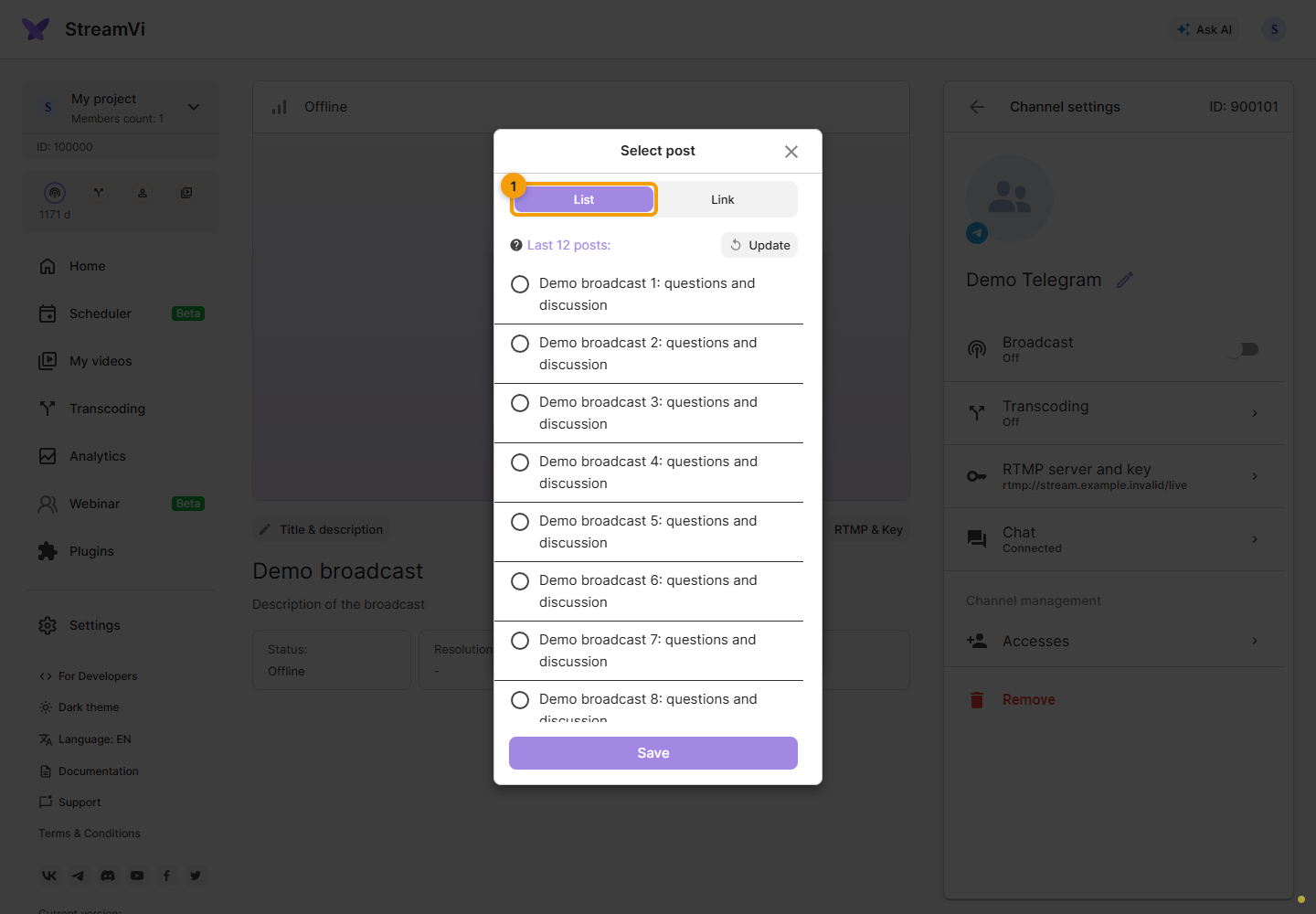
In manual mode, click Select a post in Telegram or Change post.
Select a post on the List tab. The bot starts collecting posts after it connects to the group. Earlier posts may be missing from this list.
If the post is missing, switch to the Link tab and enter the link to the post from your Telegram group.
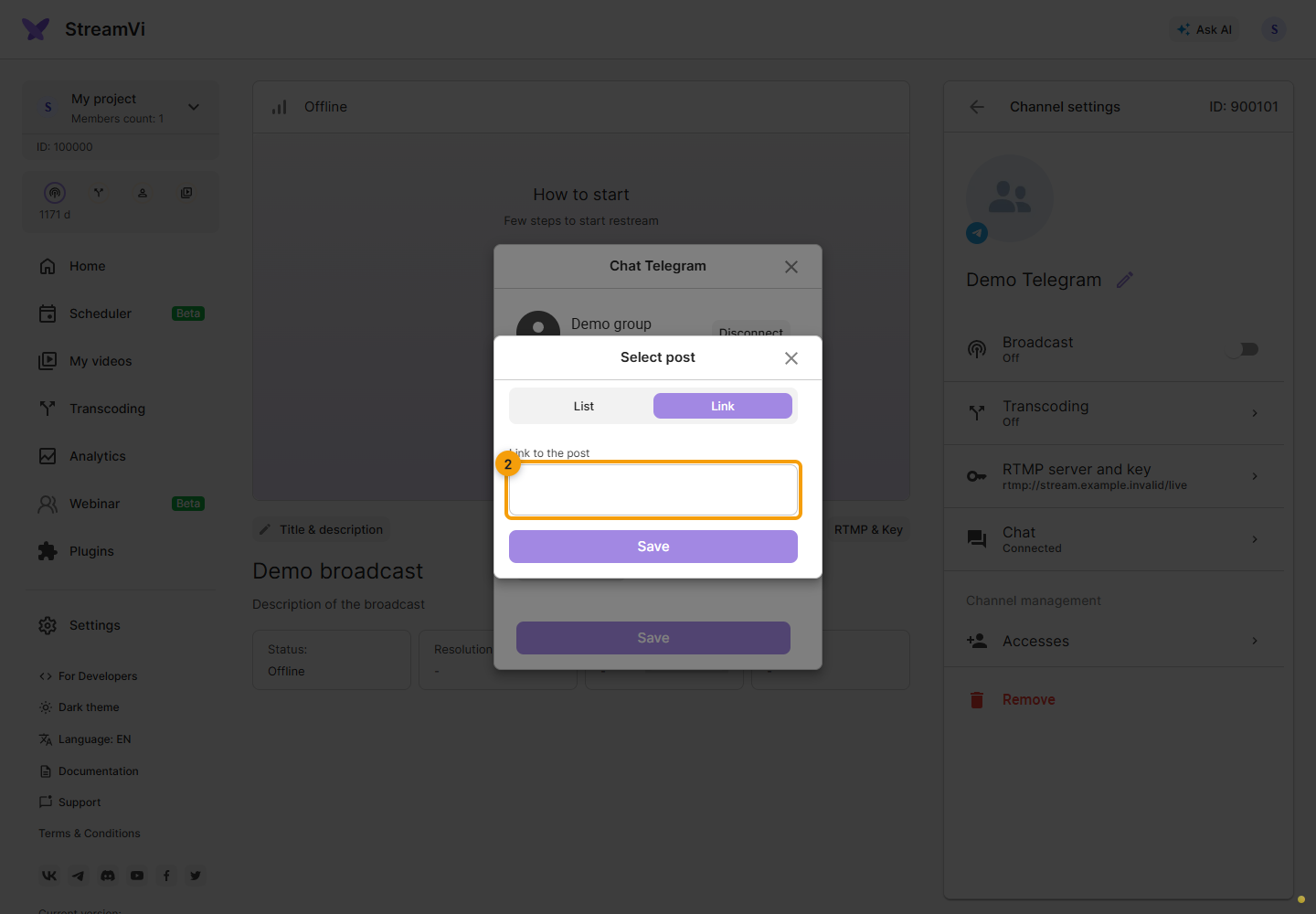
Check the matched post and save the selection. Then click Save in the settings to apply the filter.
If Telegram has messages but StreamVi does not, check whether they belong to the selected discussion. Disconnect immediately unlinks the group; connecting again requires repeating the connection steps.