
Webinar plans
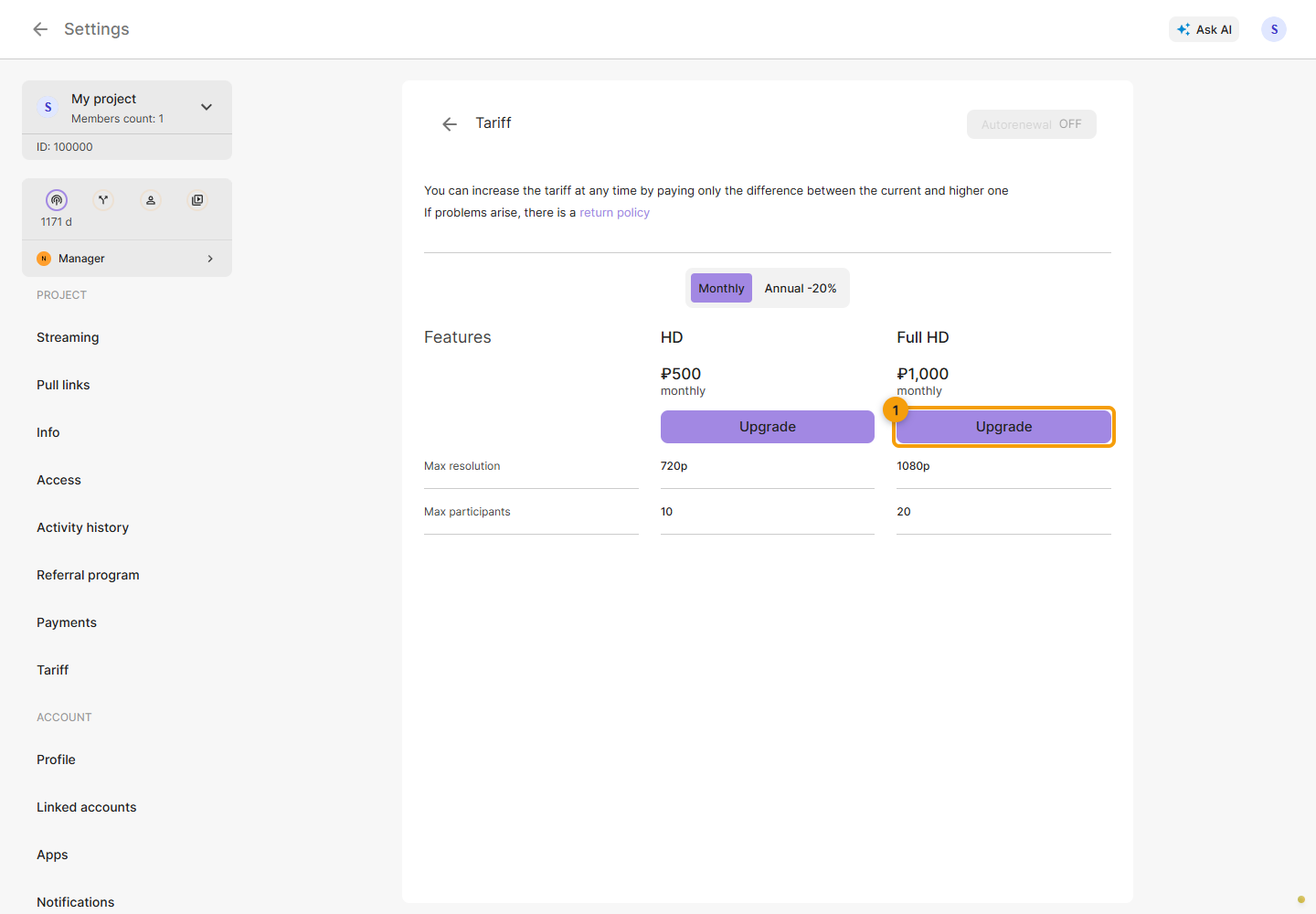
Open Settings → Tariff → Webinar. Check the resolution and participant limit, then choose a suitable plan. An active plan is required to create rooms. Prices in the screenshot are examples.
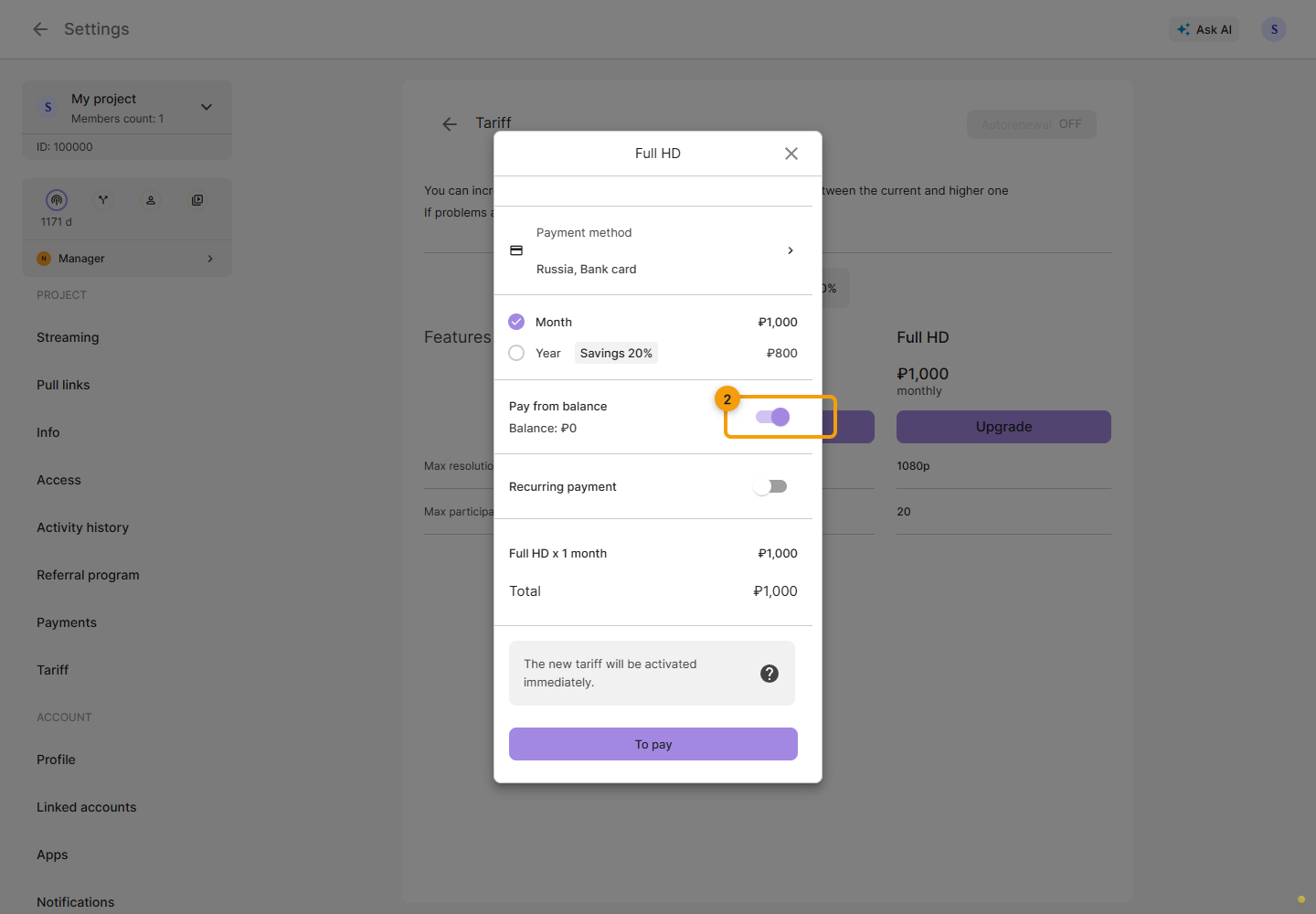
Choose the period in the payment dialog. Check whether to use your balance, the total and credit for the current service, then confirm the purchase. Available methods depend on payment settings.
After payment, check the service expiry and automatic renewal on the main plans page. Then proceed to creating a room and running a webinar. To send the broadcast to destinations, also check the restream plan and enabled project channels.