
Custom RTMP or SRT server
On the main page, click Add channel and select the protocol or platform with manual connection details. Obtain these details from the receiving platform; do not paste StreamVi's incoming-source key here.
RTMP
Your project's plan must include My RTMP server and My SRT server connections. If selecting one opens an upgrade offer instead of a form, check the project plan.
Choose My RTMP server in the Add channel dialog. Enter a name for the channel list and the RTMP server address supplied by the platform.
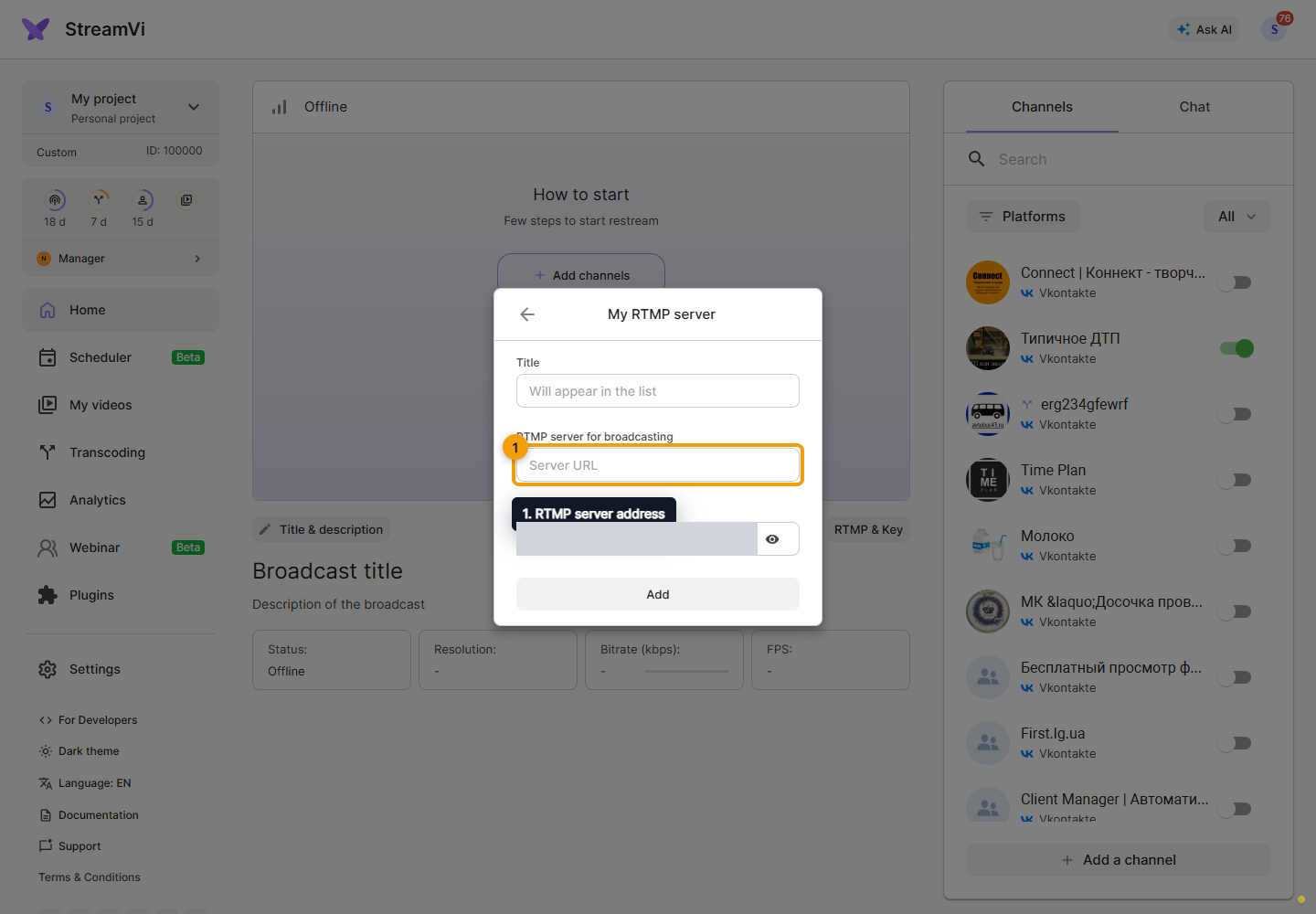
In the separate field, enter the stream key supplied by the platform without extra spaces, click Add, and wait for the connection result.
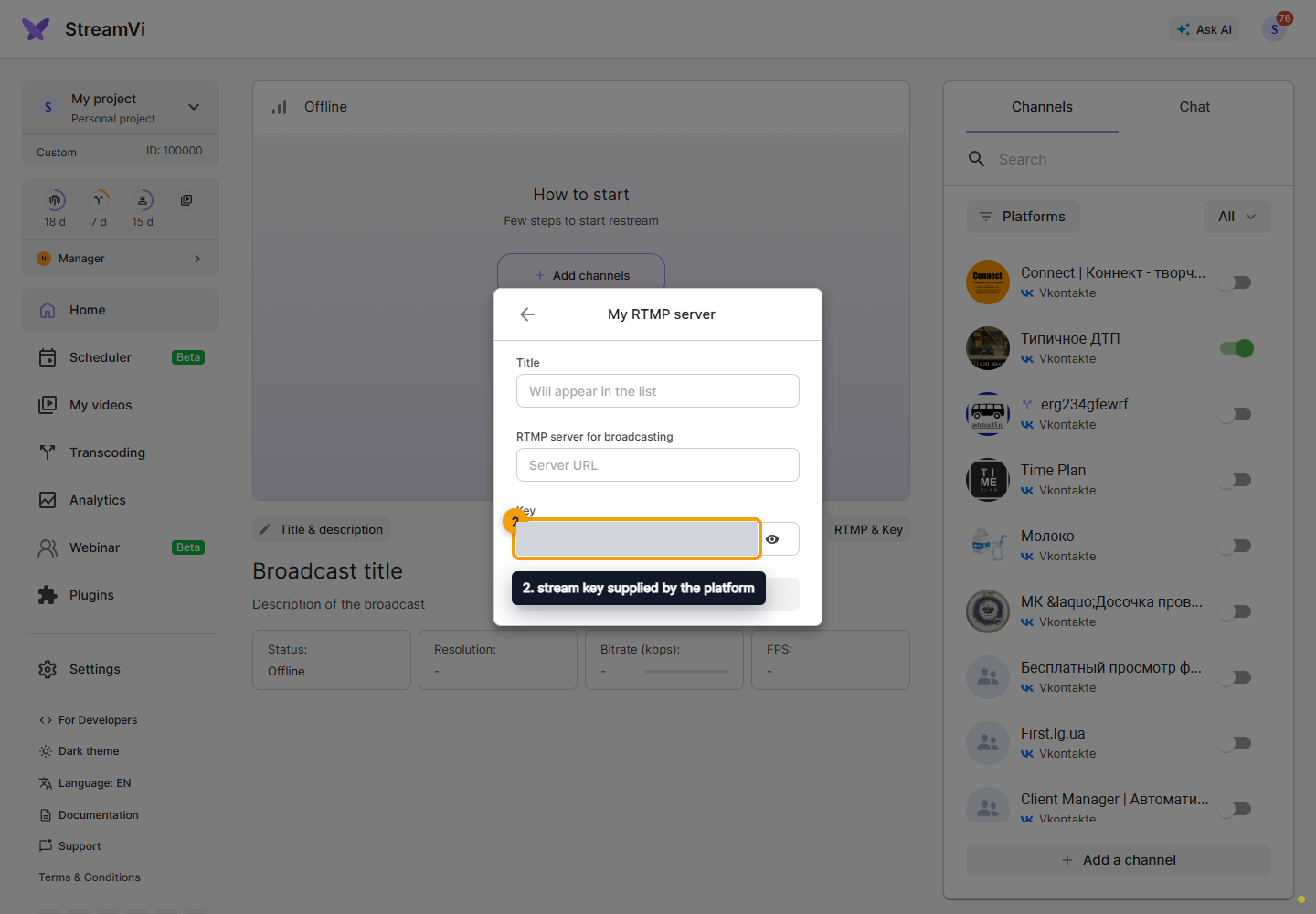
The name identifies the channel in StreamVi. Configure publication settings and chat separately on the receiving platform when this connection has no corresponding API features.
SRT
Choose My SRT server, enter a name and the receiving server's complete SRT URL.
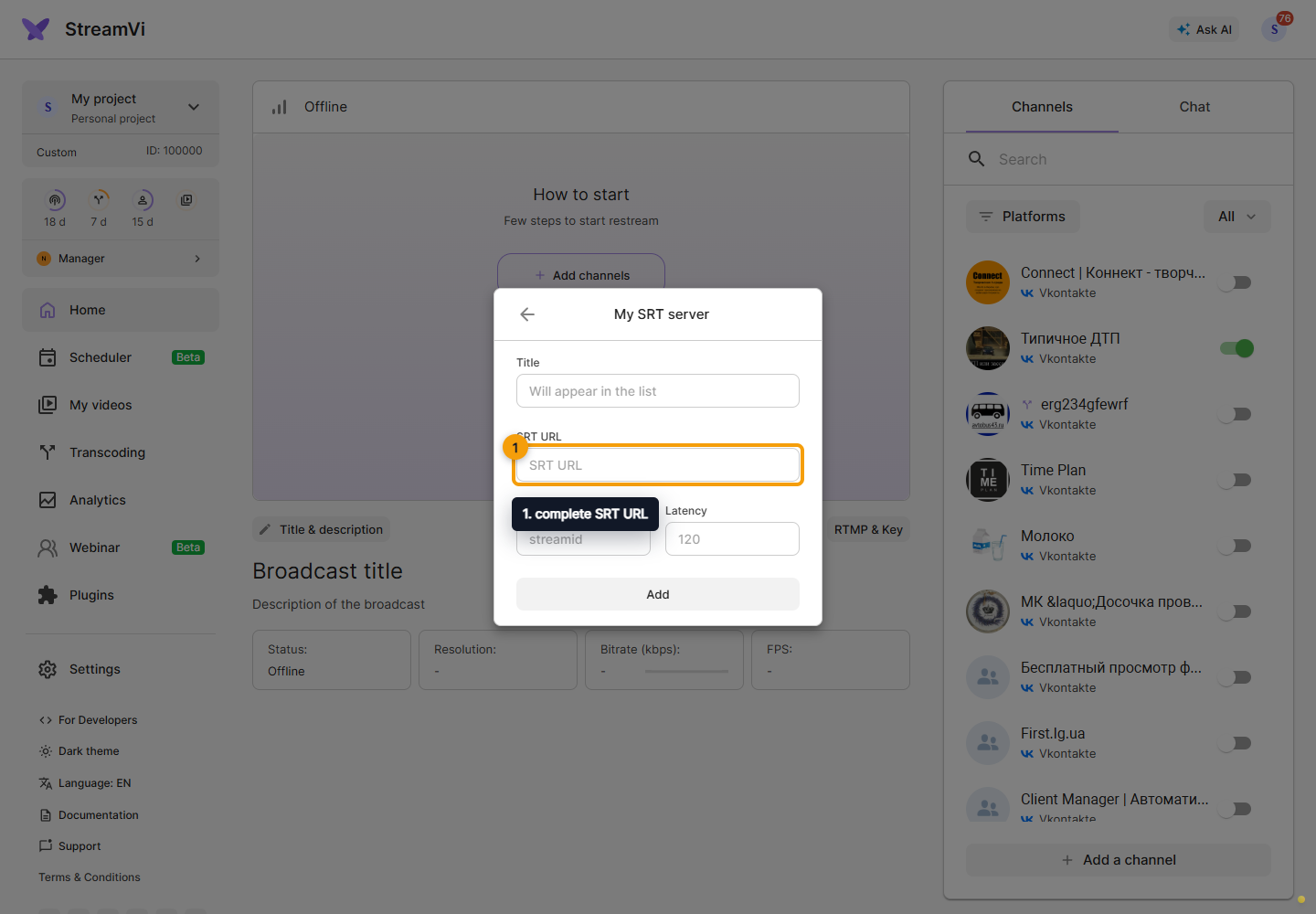
Check Stream ID if required by the receiver. This field is linked to the URL parameters: editing it updates the URL.
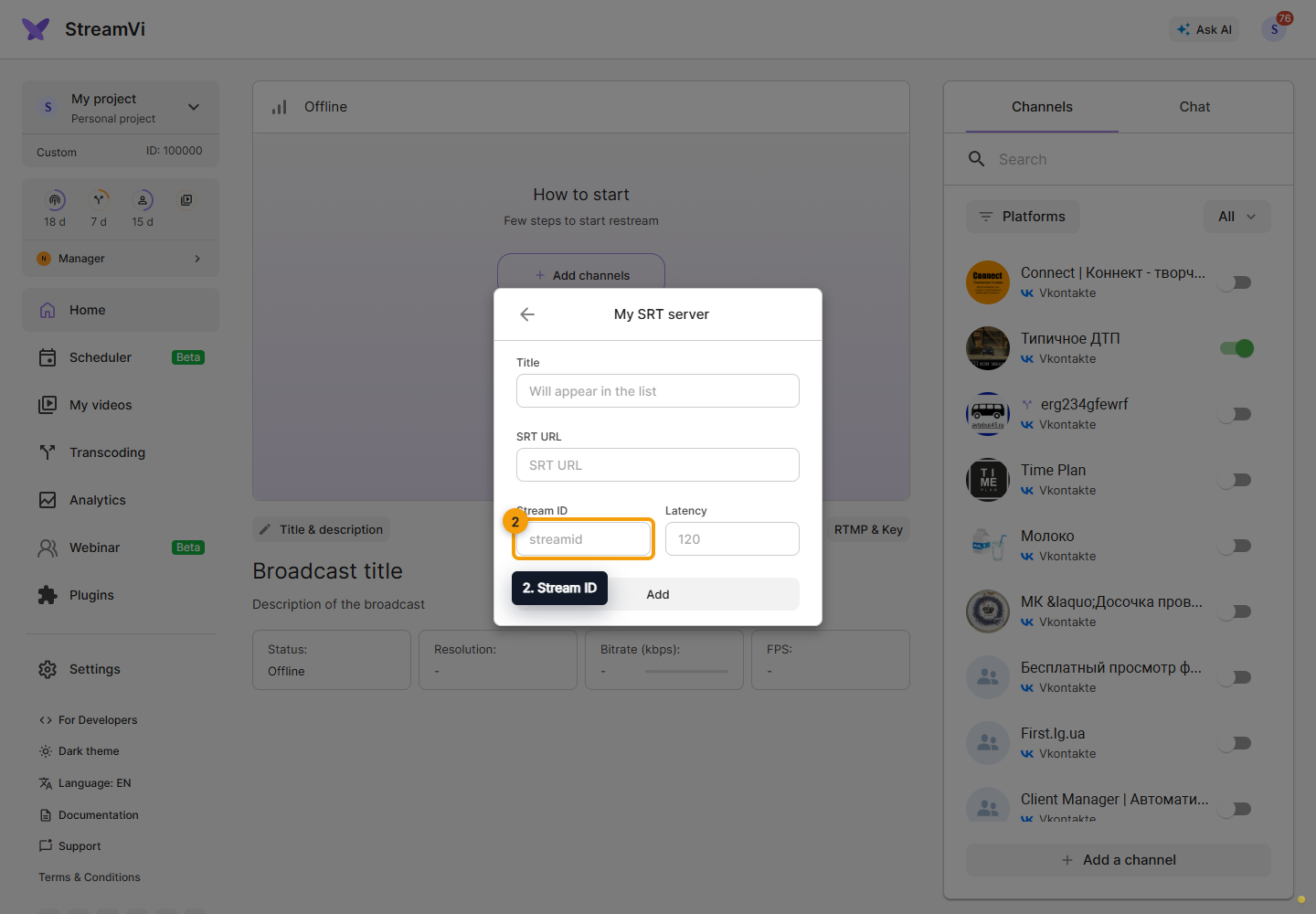
Set the required delay in Latency. This field also updates its URL parameter. Use values required by the receiver, not arbitrary example values.
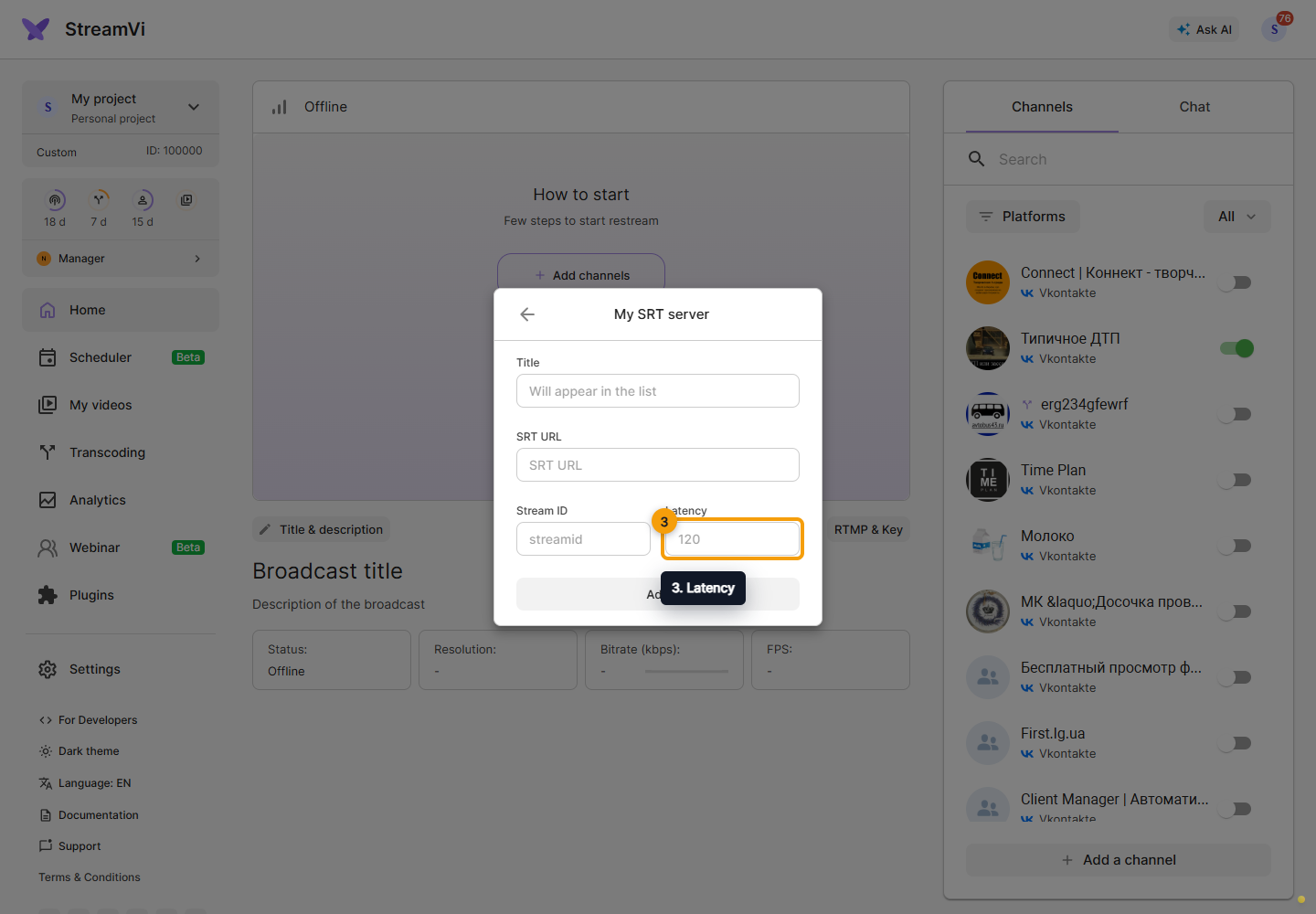
Click Add, wait for confirmation and check the channel list. To change the address later, open the channel's SRT settings and save the form.
Check delivery
Enable the new channel, send video into StreamVi and check status on both sides. If the platform changes its key or address, update this channel's connection details. Do not publish keys, SRT URLs containing secrets or screenshots showing connection credentials. See Starting a stream.