
Webhooks
A webhook sends application events to your server. Open the application in For developers → Webhooks and click Create new.
Enter a name and handler URL.
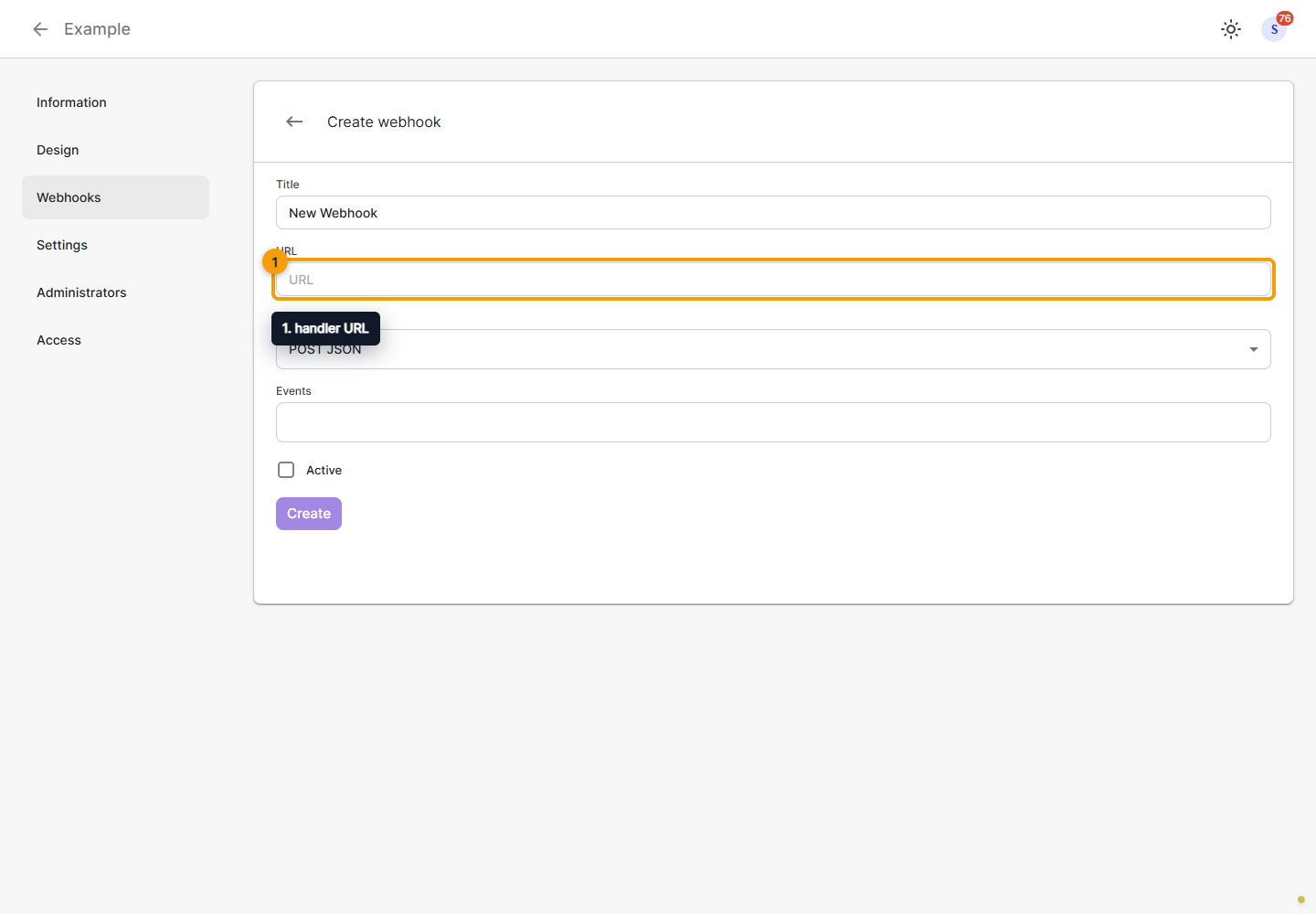
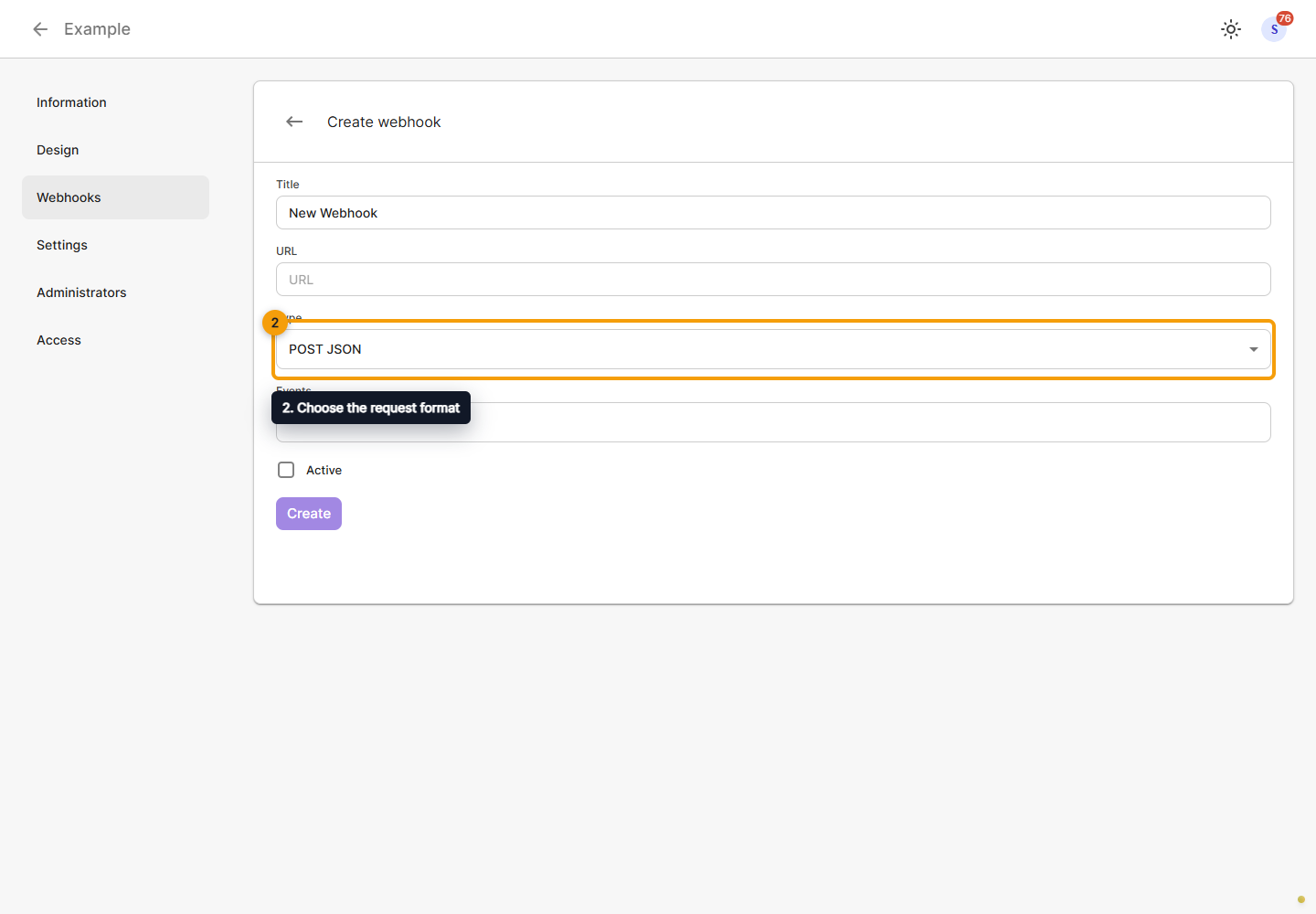
Choose the request format: POST JSON, POST FORM DATA or GET. Select the events you need: stream start, stream stop, a new chat message and a channel viewer-count update. Prepare the handler for the selected format and events.
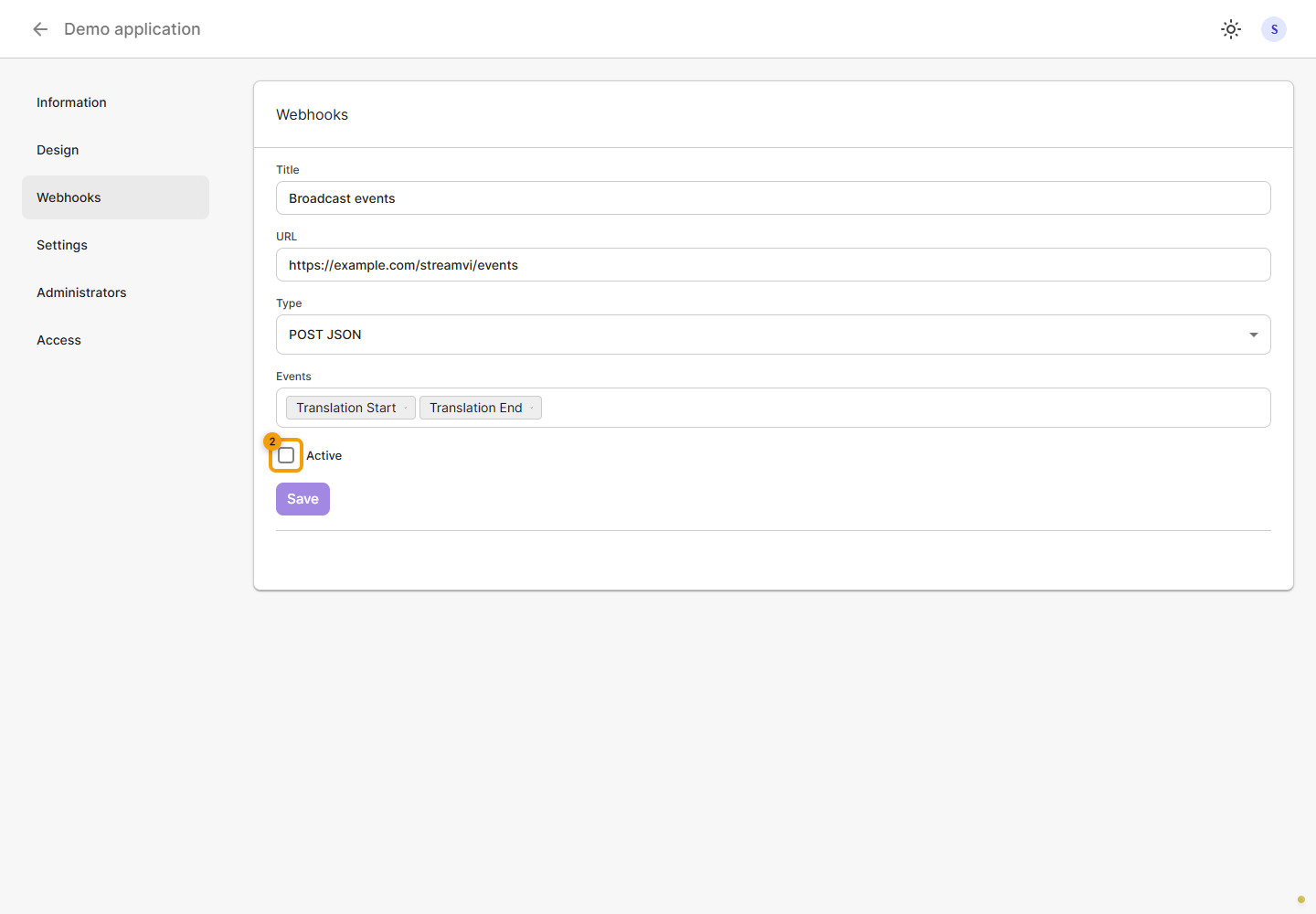
Check the active switch: a new form is inactive by default. Enable it when the handler is ready to receive events, then save. Entering a URL without saving and activating does not enable delivery.
Editing and disabling
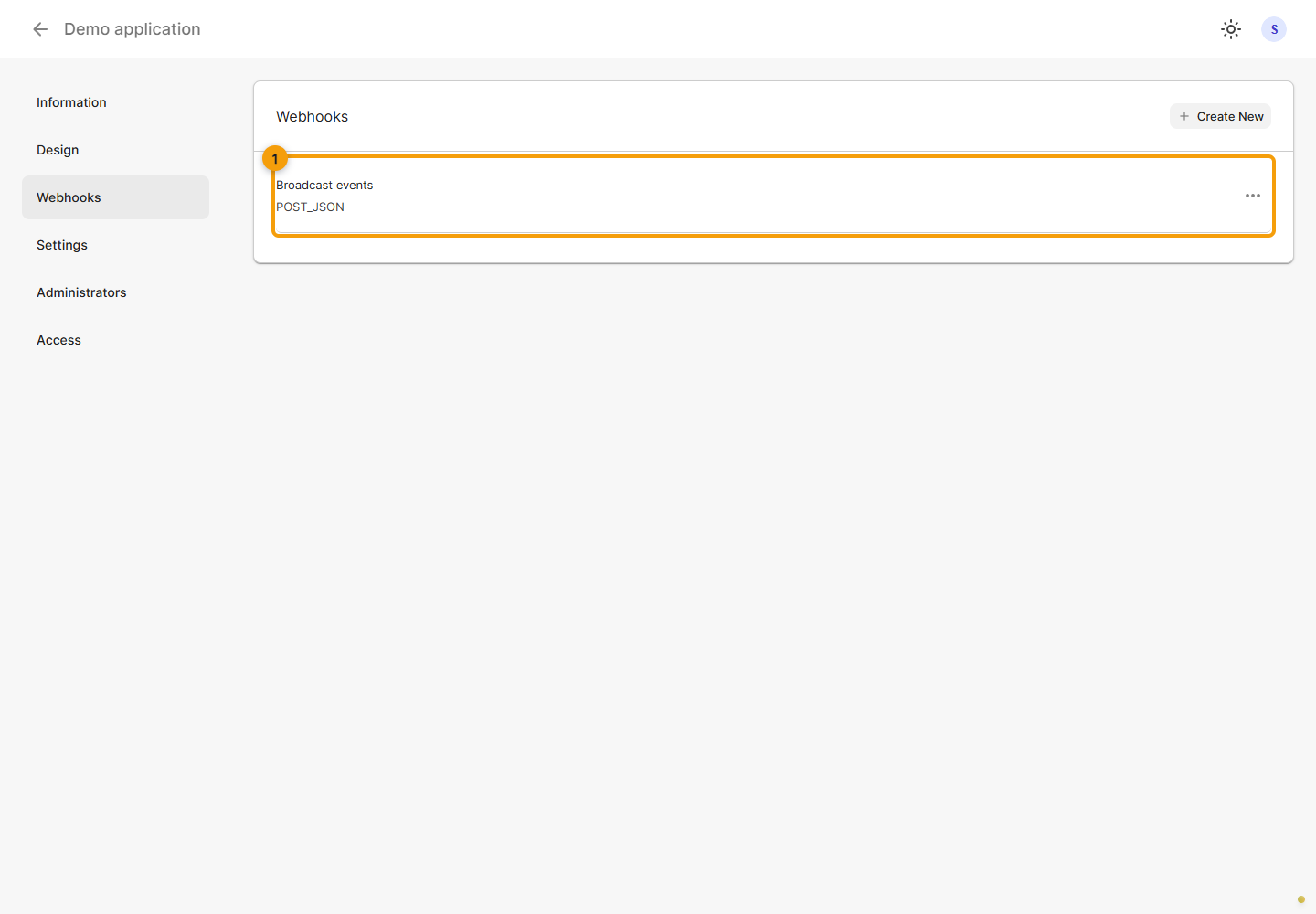
Open the intended webhook row in the application list. The following screenshots use a fictional name and handler URL.
Edit the name, handler URL, request format or selected events. Check that your server accepts that format.
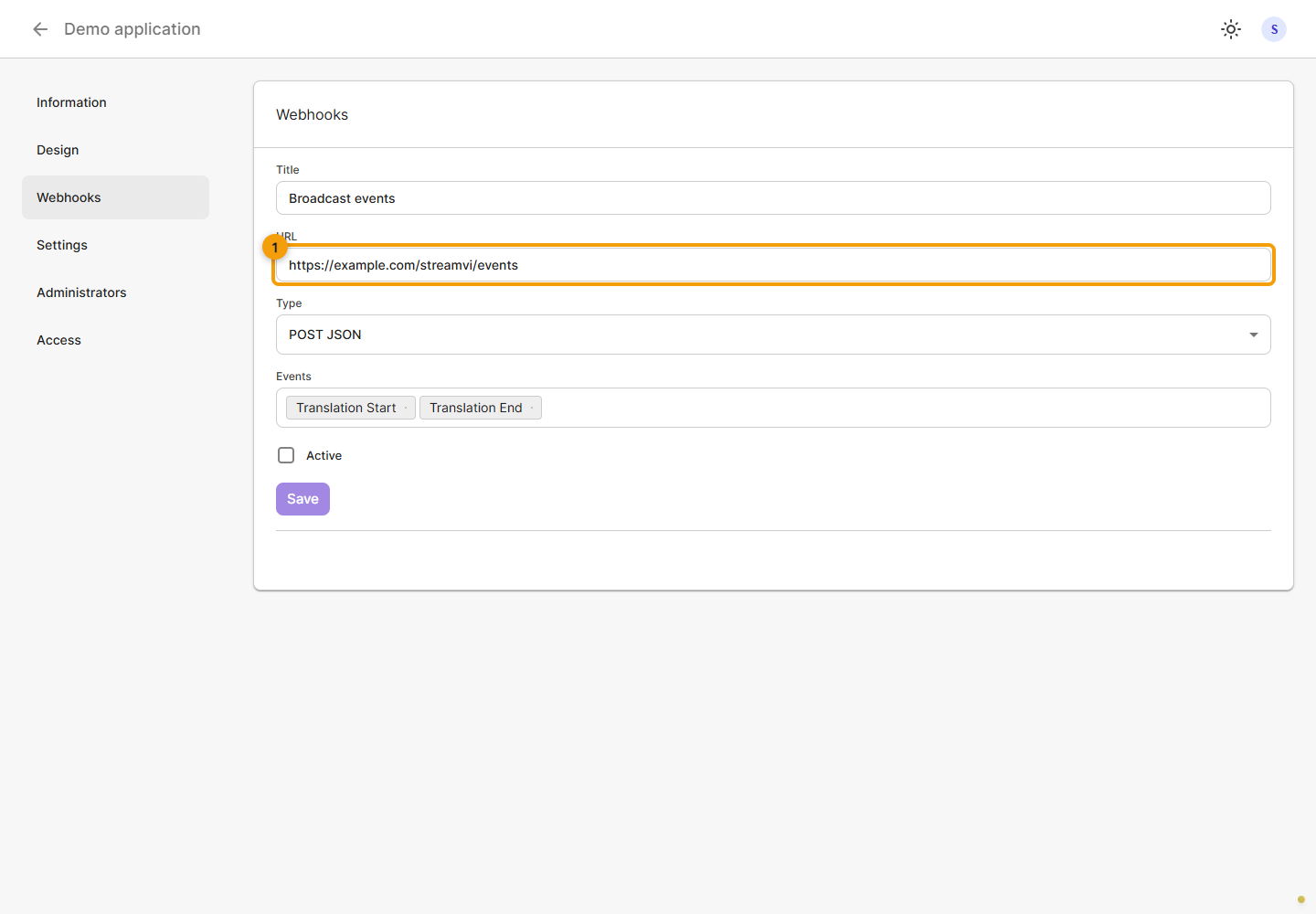
To stop delivery, clear Active and click Save. Changing the checkbox without saving does not update the server. To resume delivery, enable it again and save the form.
Deleting
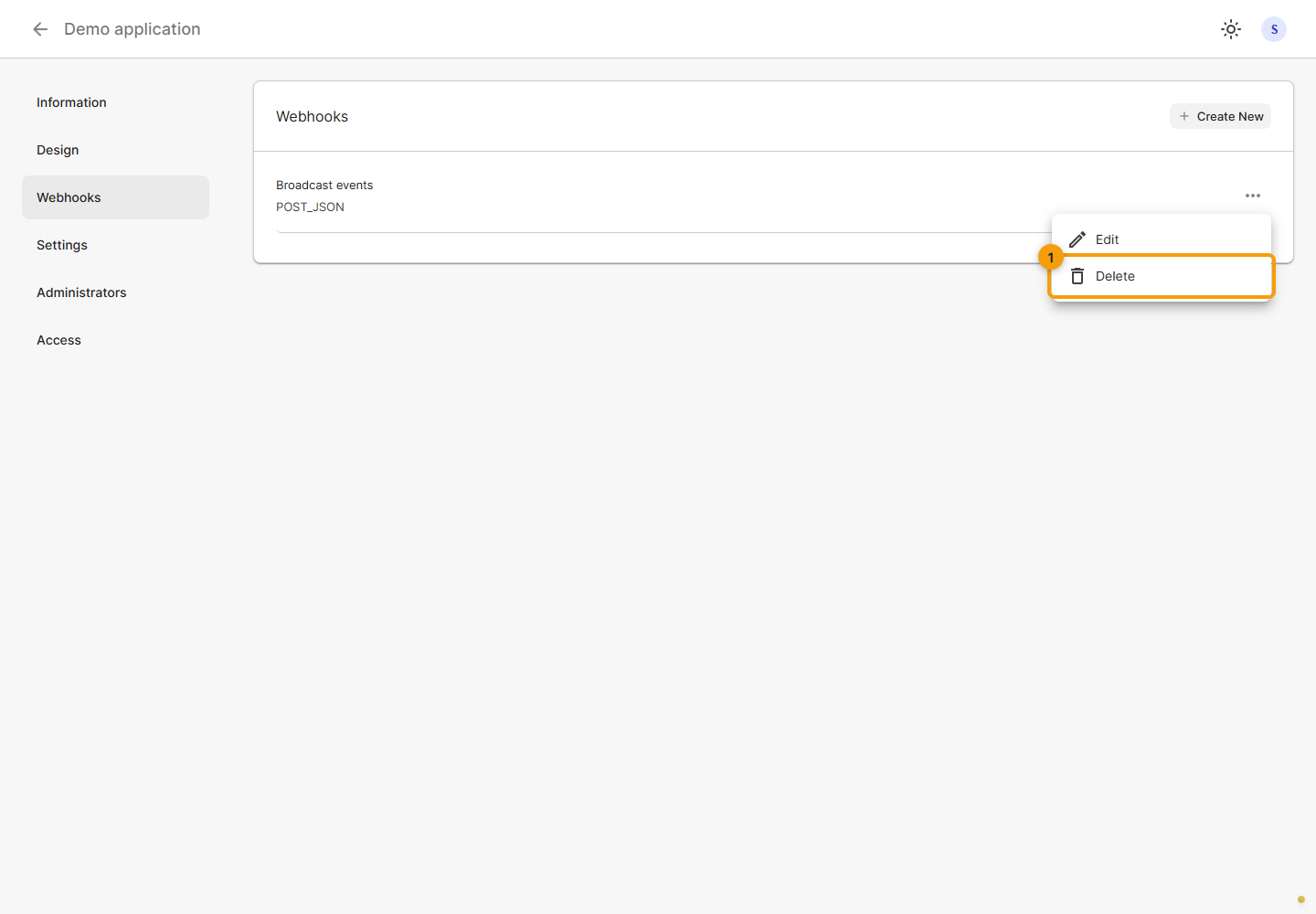
Open the intended webhook's ⋯ menu and choose Delete. Disabling activity is sufficient for a temporary pause; deletion removes the configuration itself.
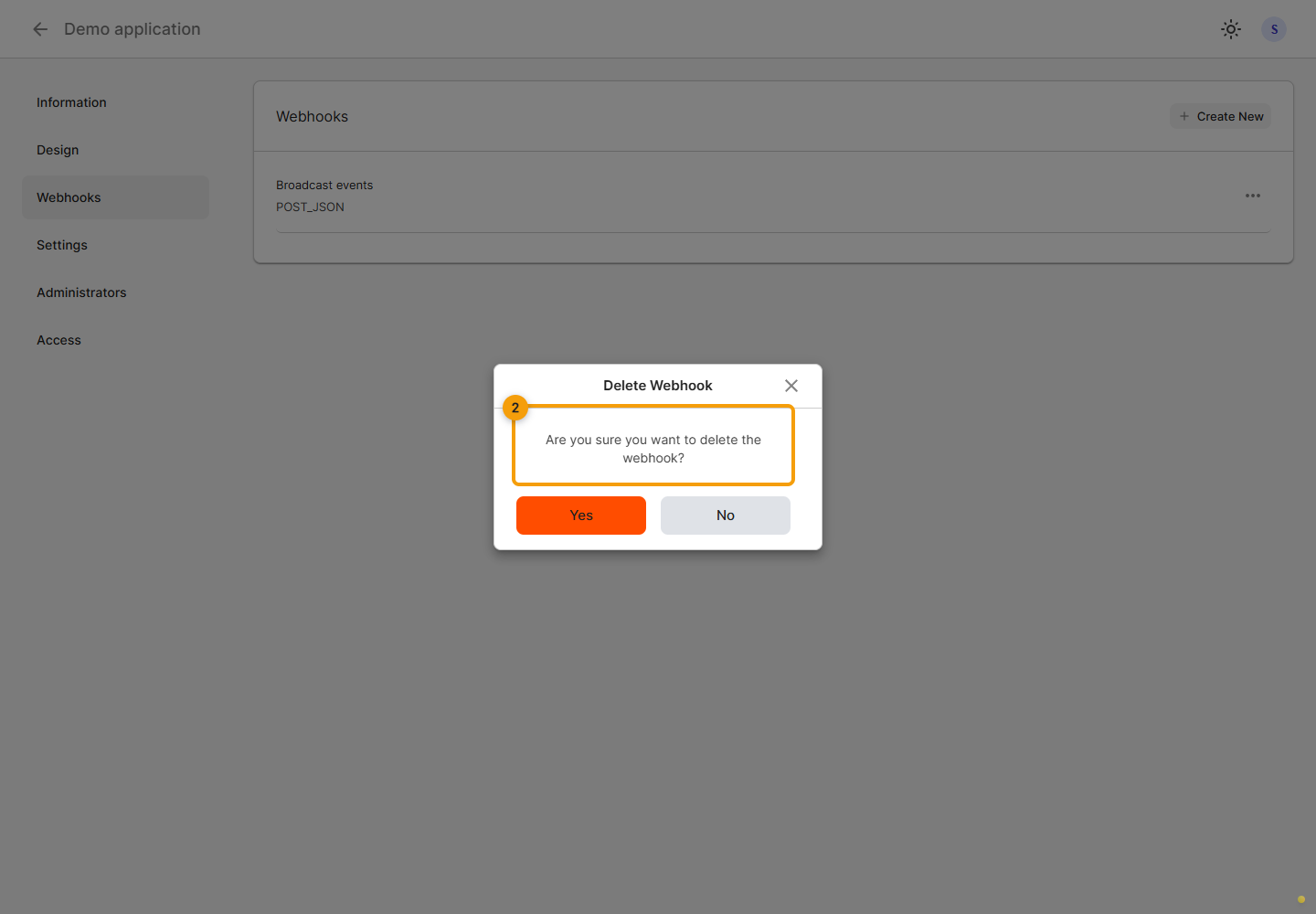
Read the deletion confirmation. Confirm if the correct webhook is selected and check the list after a successful response. No closes the dialog without deleting anything.
Events
An application receives events from projects where it is installed. Delivery requires the webhook to be active and the corresponding event to be selected in its settings.
event code | Event | Additional data |
|---|---|---|
translation_start | Broadcast started | Common event fields |
translation_stop | Broadcast stopped | Common event fields |
chat_new_message | New chat message | payload.eventId, payload.restreamId, payload.platform, payload.message |
channel_viewers_update | Channel viewer count changed | payload.eventId, payload.restreamId, payload.platform, payload.viewers |
Event data
The following describes the event object StreamVi prepares for the delivery service. It documents event data; the examples do not establish the envelope of the final HTTP request to your handler.
| Common field | Meaning |
|---|---|
event | One of the event codes above |
project_id | Internal numeric project ID |
broadcast_id | Numeric broadcast ID |
timestamp | Event creation time in ISO 8601 format, UTC |
Broadcast start example with fictional identifiers:
{
  "event": "translation_start",
  "project_id": 12345,
  "broadcast_id": 67890,
  "timestamp": "2026-10-19T10:00:00.000Z"
}
For a broadcast stop, event is translation_stop; the common fields are the same. These two events have no separate payload field.
For a chat message, payload contains a string eventId, numeric restreamId, string platform and a message object. Inside message are id, an entities array and profile with id, username and image. The profile image can be null. deliveryId is optional and can also be null.
entities describes message parts: text has type: "text" and text; an emoji has type: "emoji", id, name and optional image or video. Do not expect the whole message in a single text field.
A viewer-count change contains the additional data shown below; values are fictional:
{
  "event": "channel_viewers_update",
  "project_id": 12345,
  "broadcast_id": 67890,
  "timestamp": "2026-10-19T10:01:00.000Z",
  "payload": {
    "eventId": "demo-viewers-event",
    "restreamId": 24680,
    "platform": "youtube",
    "viewers": 42
  }
}
restreamId identifies the restream, platform identifies the platform, and viewers holds the channel's viewer count. Match project_id, broadcast_id and time before updating your application's data.
Check delivery
Check that the application is installed in the intended project, the webhook is saved and active, the required event is selected, and the handler URL is reachable. Use a test project and an event you can trigger without affecting a working broadcast.
The final HTTP request format, request signature, expected response status, timeouts and delivery retries do not yet have a confirmed contract in this documentation. Verify these delivery-service parameters before connecting a production handler. The number of attempts in StreamVi's internal request to the delivery service does not define the number of requests to your URL. Keep secrets out of public URL examples.