Top up balance
Open Settings → Payments in the intended project.
Click Top up, enter an amount in the project's currency and check the payment method. Minimum and maximum amounts depend on the system; the form reports invalid values. Use the payment-method row to return to its settings.
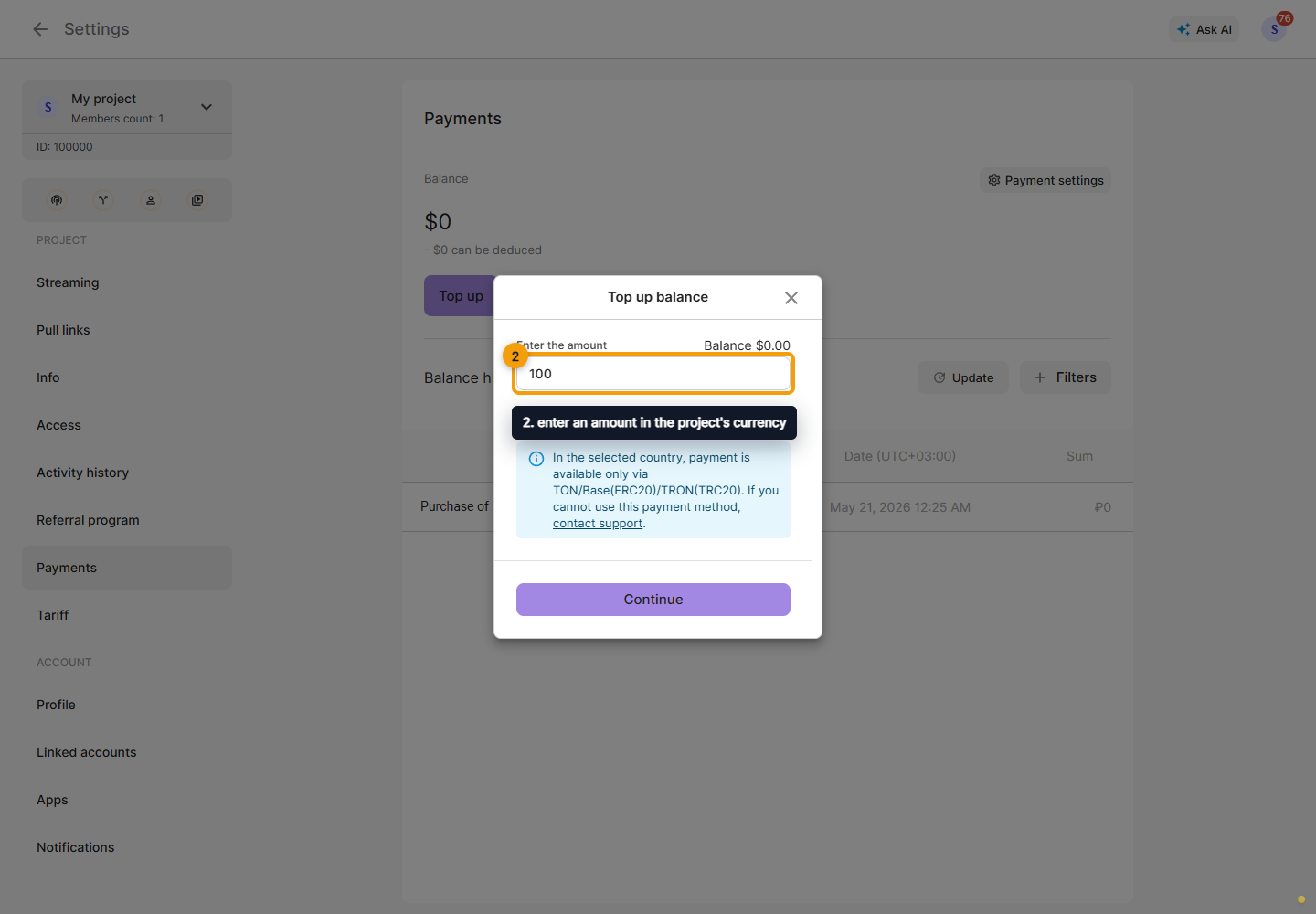
Click Continue and follow the payment provider's instructions. Return to the Cabinet, click Refresh, and check the balance and transaction record. Opening the payment page does not confirm payment. If the outcome is unclear, check the history before attempting another payment.
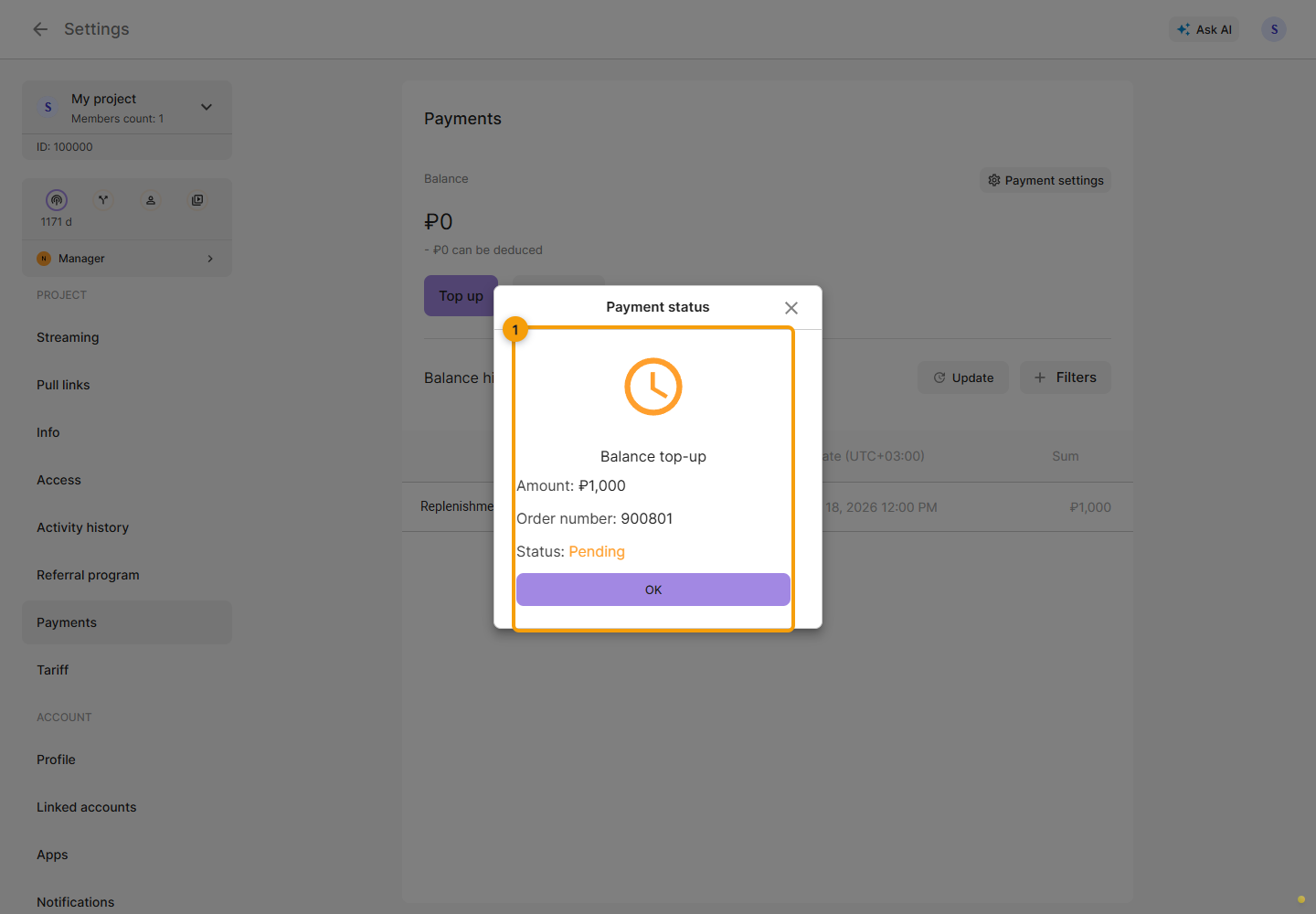
If the payment status dialog opens on return, check the amount, payment number and status. Pending, cancelled and failed states do not confirm successful payment.
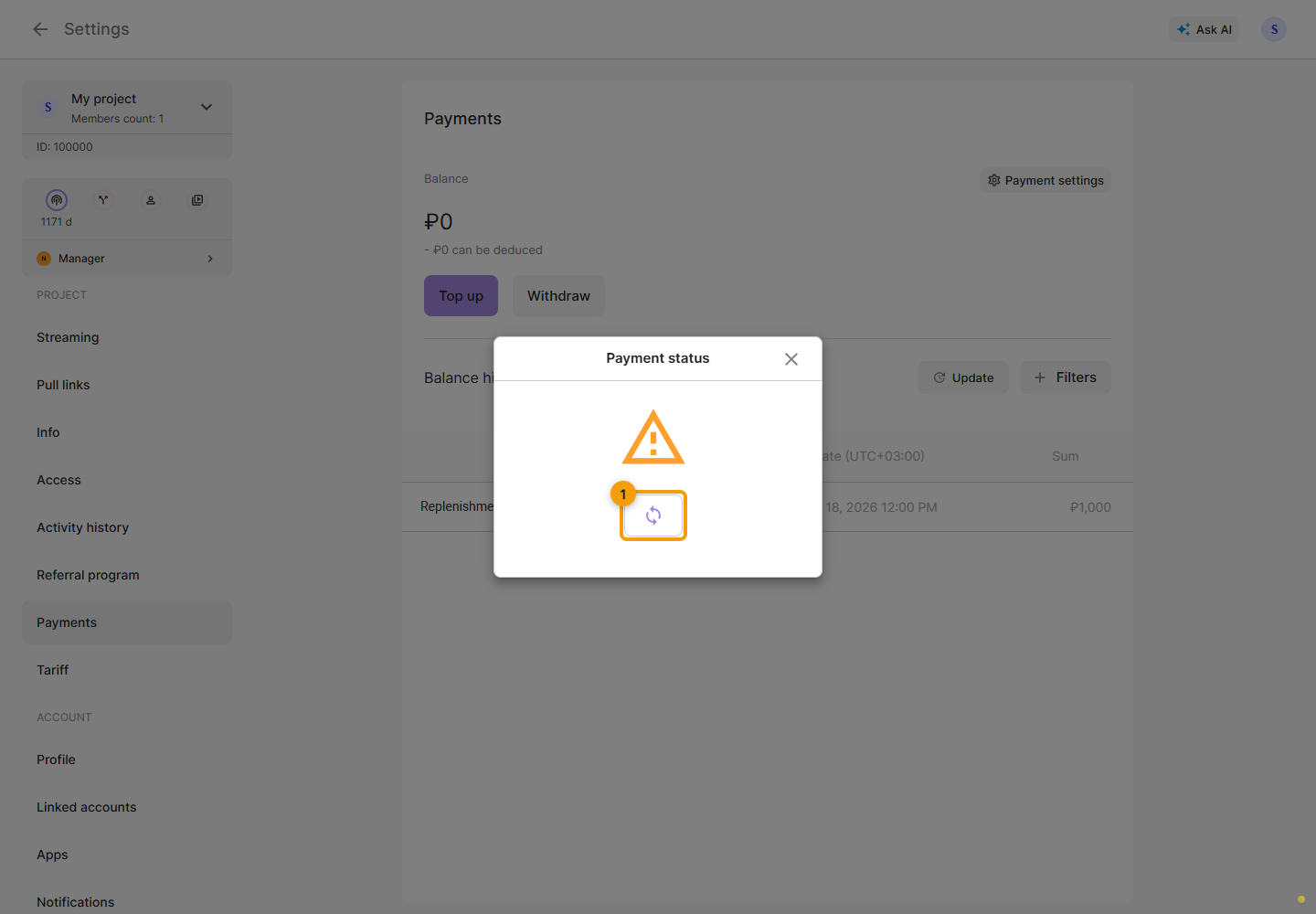
If the status could not load, click the circular arrow to request it again. This checks the status without creating a new payment. Keep the payment number for support.