
vMix
vMix runs on Windows. There is no native macOS version; see the developer's explanation.
Connect to StreamVi
In the required StreamVi project, open Home → RTMP and Key and copy the server address and key. See the illustrated setup guide.
In vMix, click the gear beside Stream. The screenshots may differ from your application version.
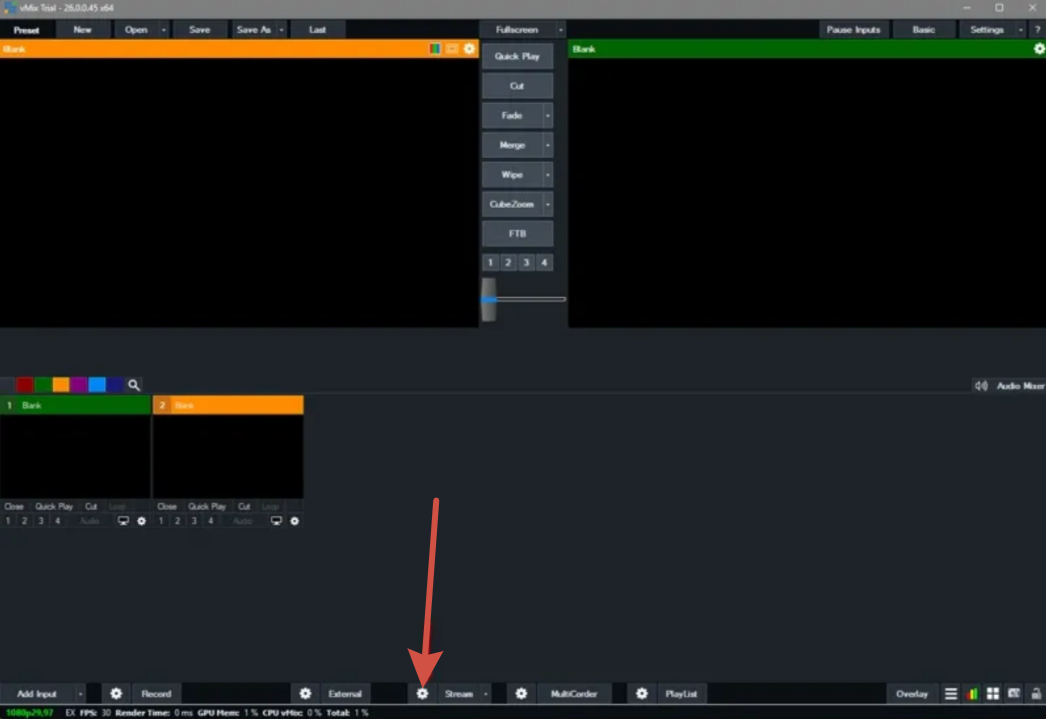
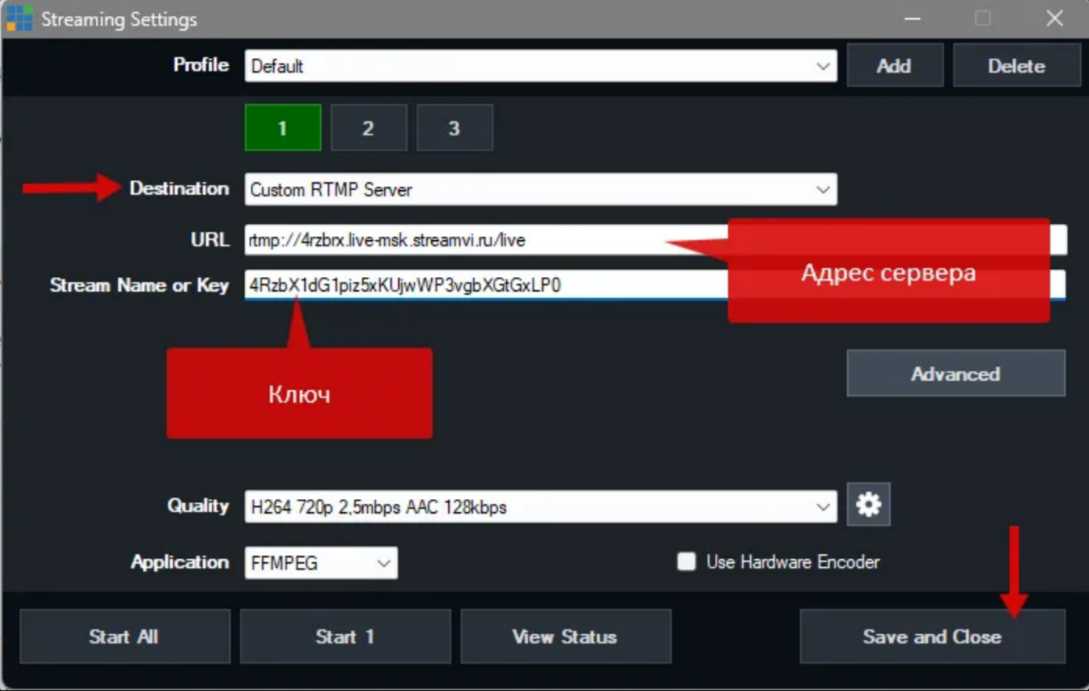
Set Destination to Custom RTMP Server. Paste the StreamVi server address into URL and the key into Stream Name or Key, then click Save and Close.
Enable the required StreamVi channels, start sending video with Stream in vMix and check the broadcast.