
Pull links
A pull link lets another application receive the project's stream, or lets a collaborator use it in a joint broadcast. Open Settings → Pull links and check the feature's availability and limits on the page.
Create a link
Click Add link. Enter a descriptive name and choose RTMP, SRT or HLS according to the receiving application's support. The protocol cannot be changed after creation.
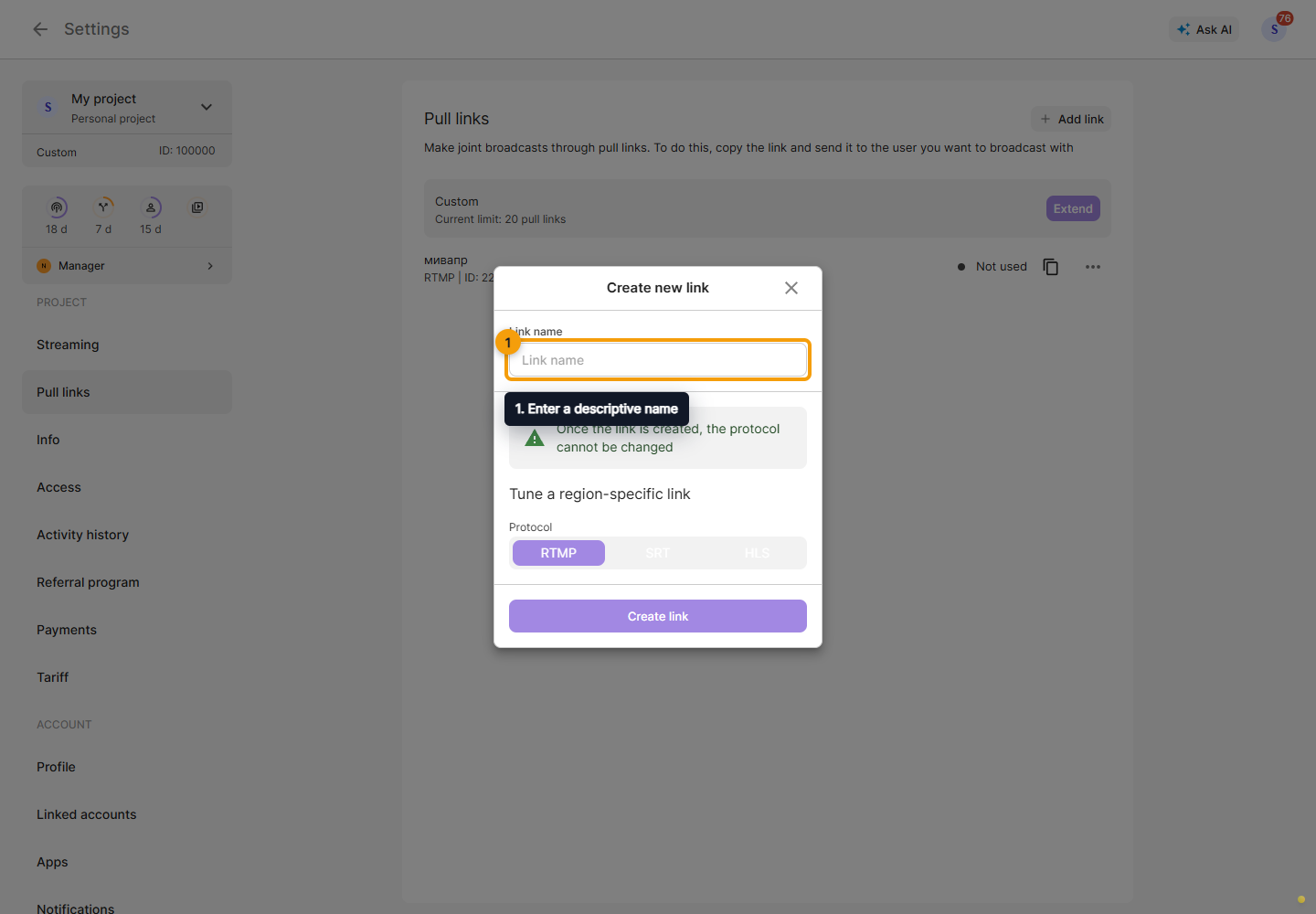
Click Create link. Once created, the link appears in the list.
Choose an address
Click the copy icon beside the required pull link. In the dialog, choose an address: the share link for the recipient or a specific regional server address. Launch ping test helps compare servers. Copy the appropriate address into the receiving application.
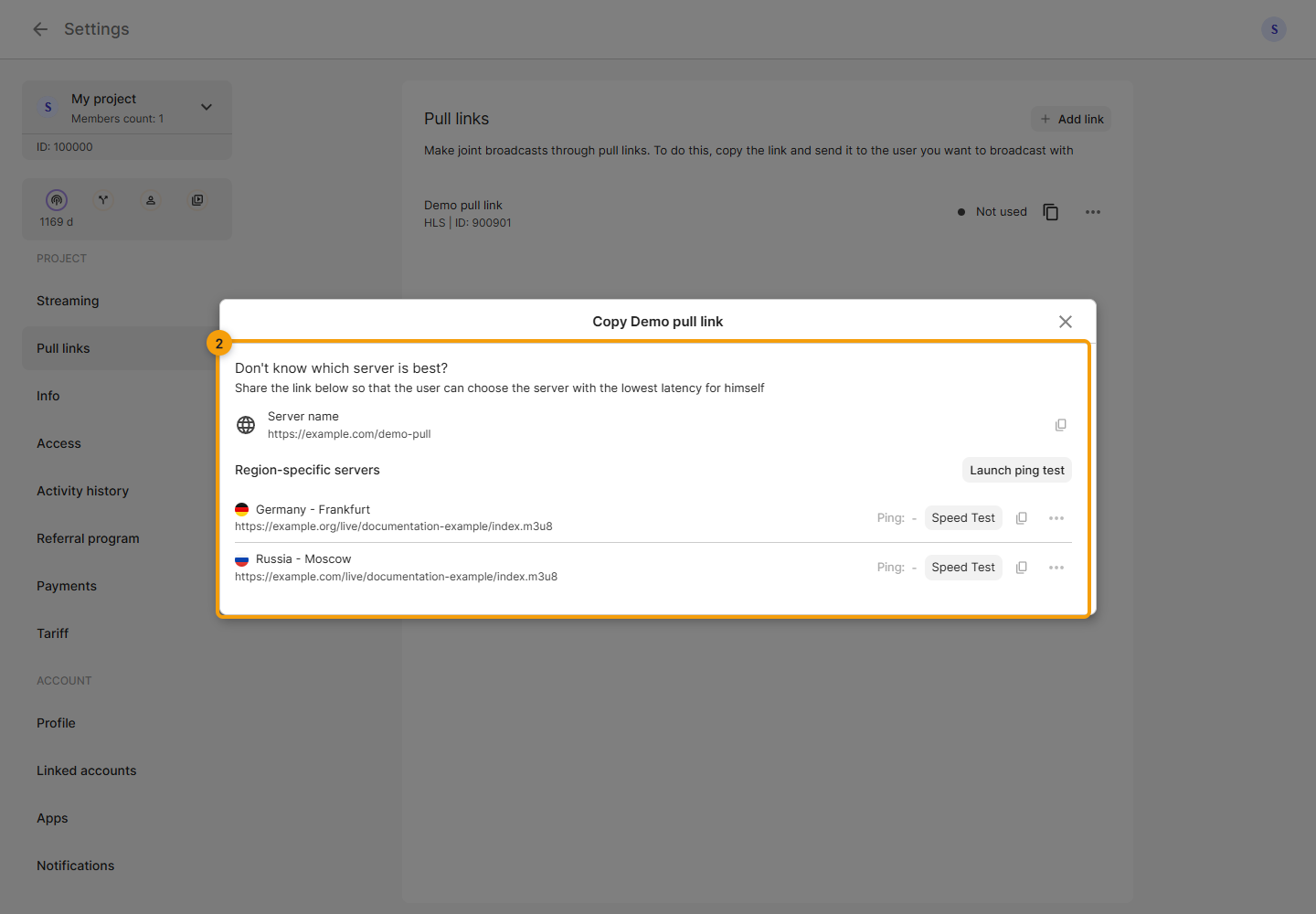
The screenshot contains demo addresses. Use the links from your own Cabinet.
A link without a selected regional server lets the recipient select a suitable server. Do not use it as the OBS publishing key for StreamVi: sending an incoming broadcast and receiving a stream through a pull link serve different purposes.
For example, in VLC choose Media → Open Network Stream, paste the network address and click Play. Playback requires a running stream and a player that supports the selected protocol.
Open a received link
The recipient opens the invitation link in a browser and signs in to StreamVi if needed. If the link is available, the page shows a server list: click Launch ping test, check the selected server and copy its address into the receiving application. The speed test on this page checks data received from the server.
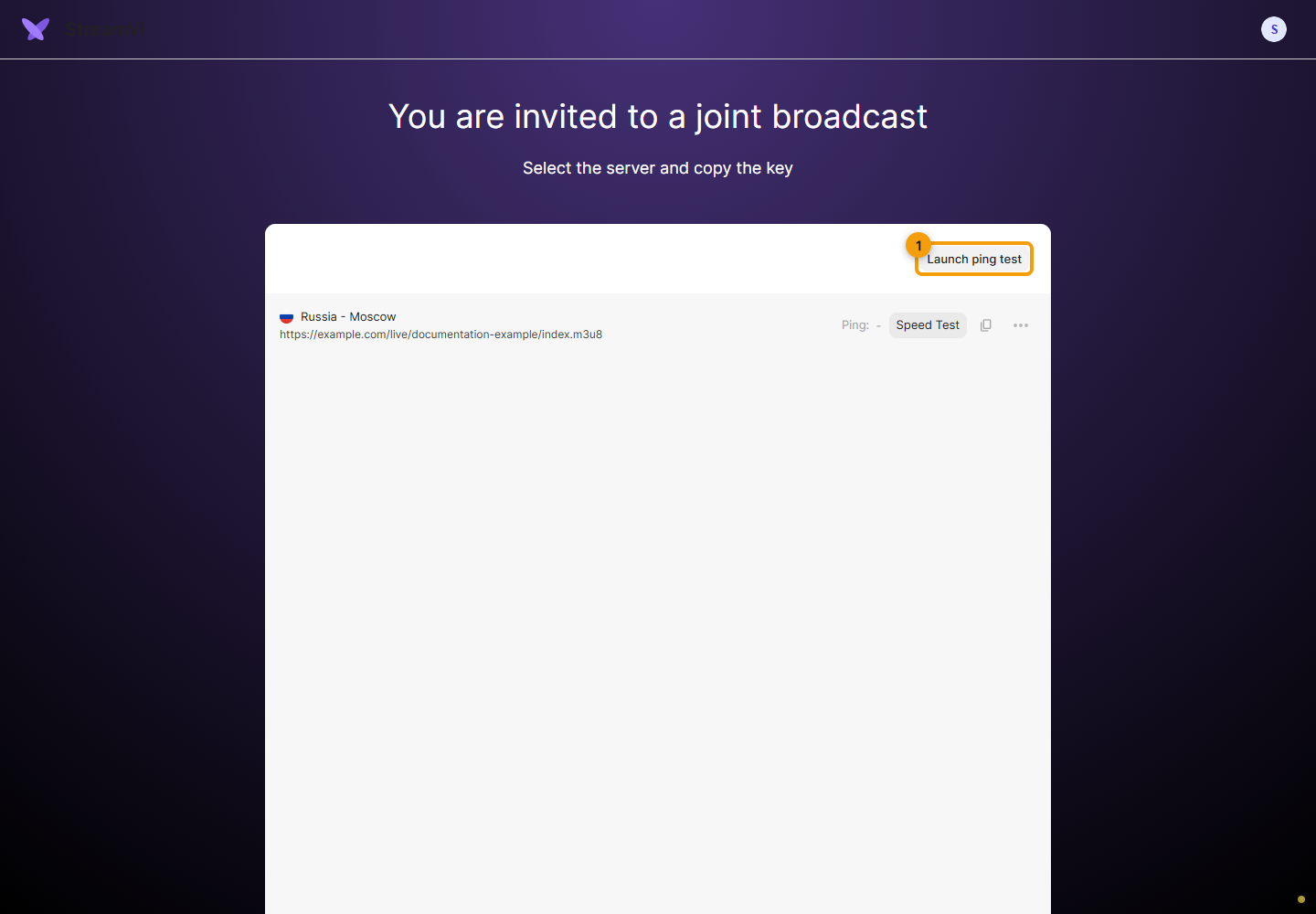
The screenshot uses a demo address, with no real stream or measured results. Copy the address from your own page.
If the page says the link does not exist or is already in use, contact the sender. For a missing link, try refreshing the page first. The error screen also lets you return to Home.
Delete or replace
Open the intended link’s ⋯ menu and choose Delete. Review the deletion confirmation before proceeding.
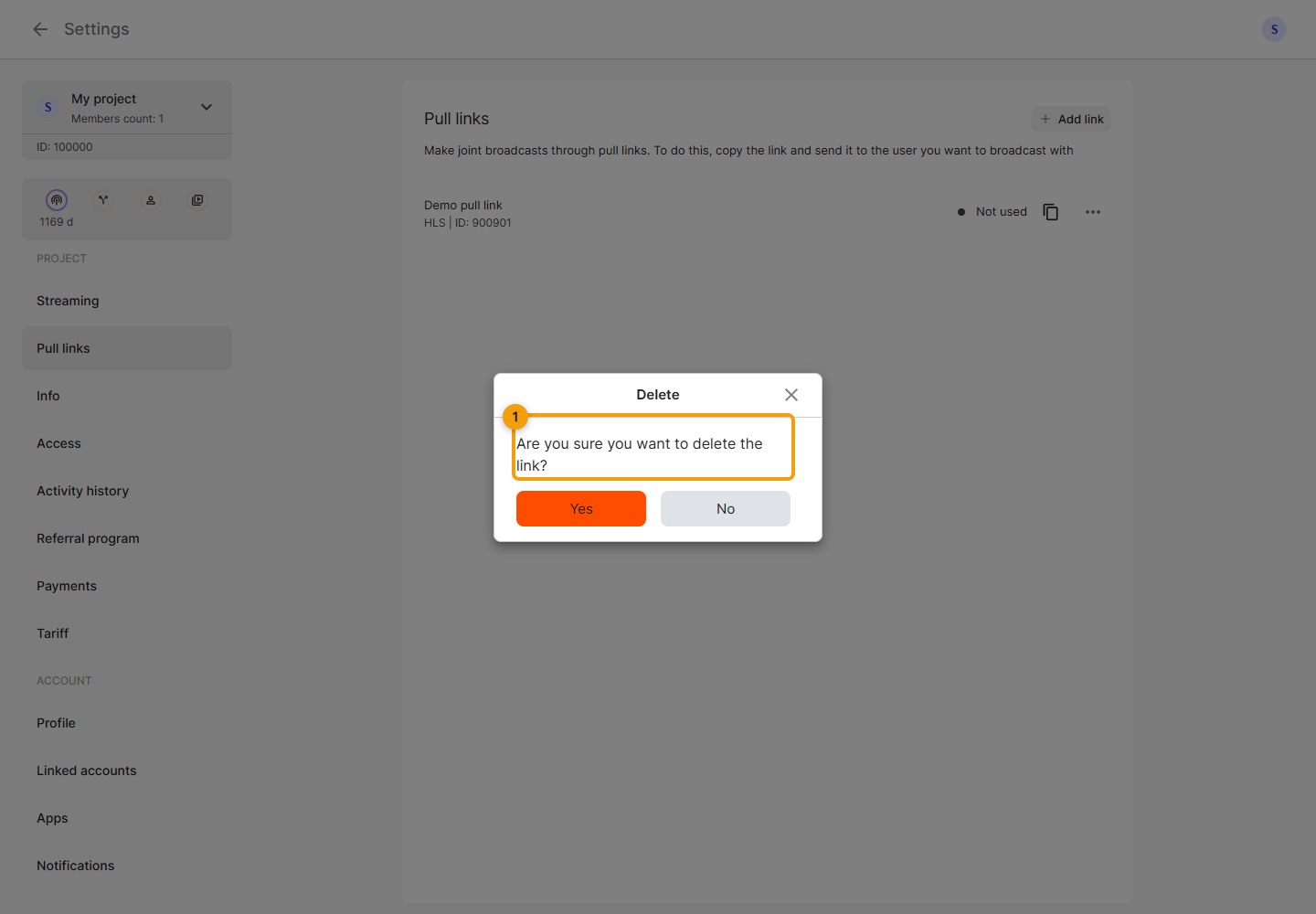
Create a new link for another protocol and update the receiver’s configuration. Share addresses only with intended recipients because they contain an access key. If a link is unavailable or already in use, check its status, plan and existing connections.