
Publication
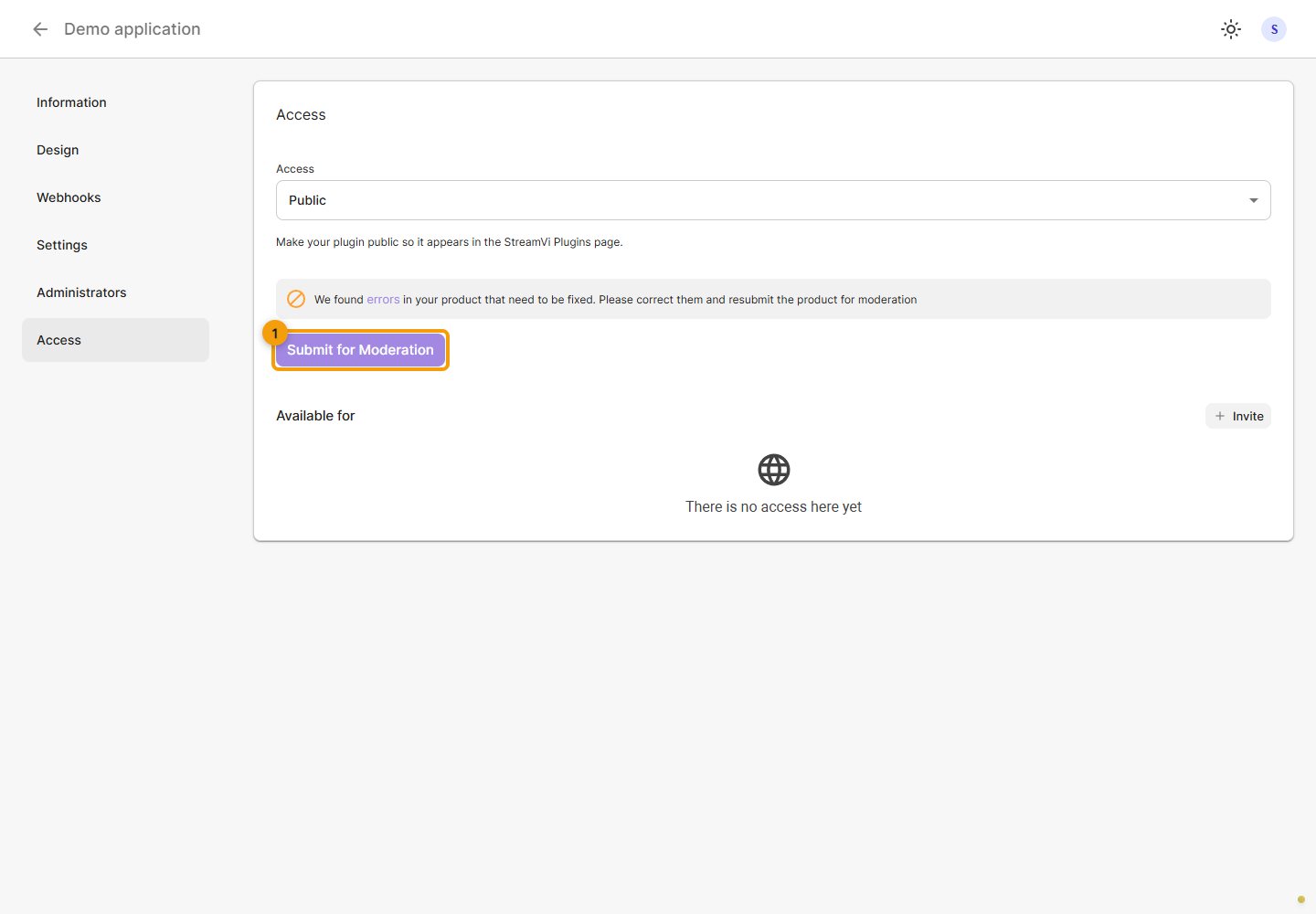
Open For developers → your application → Access. Use this tab to submit an application for moderation before listing it in the public catalog. Private access is sufficient for testing in an individual project.
The screenshots show a demo application with fictional data.
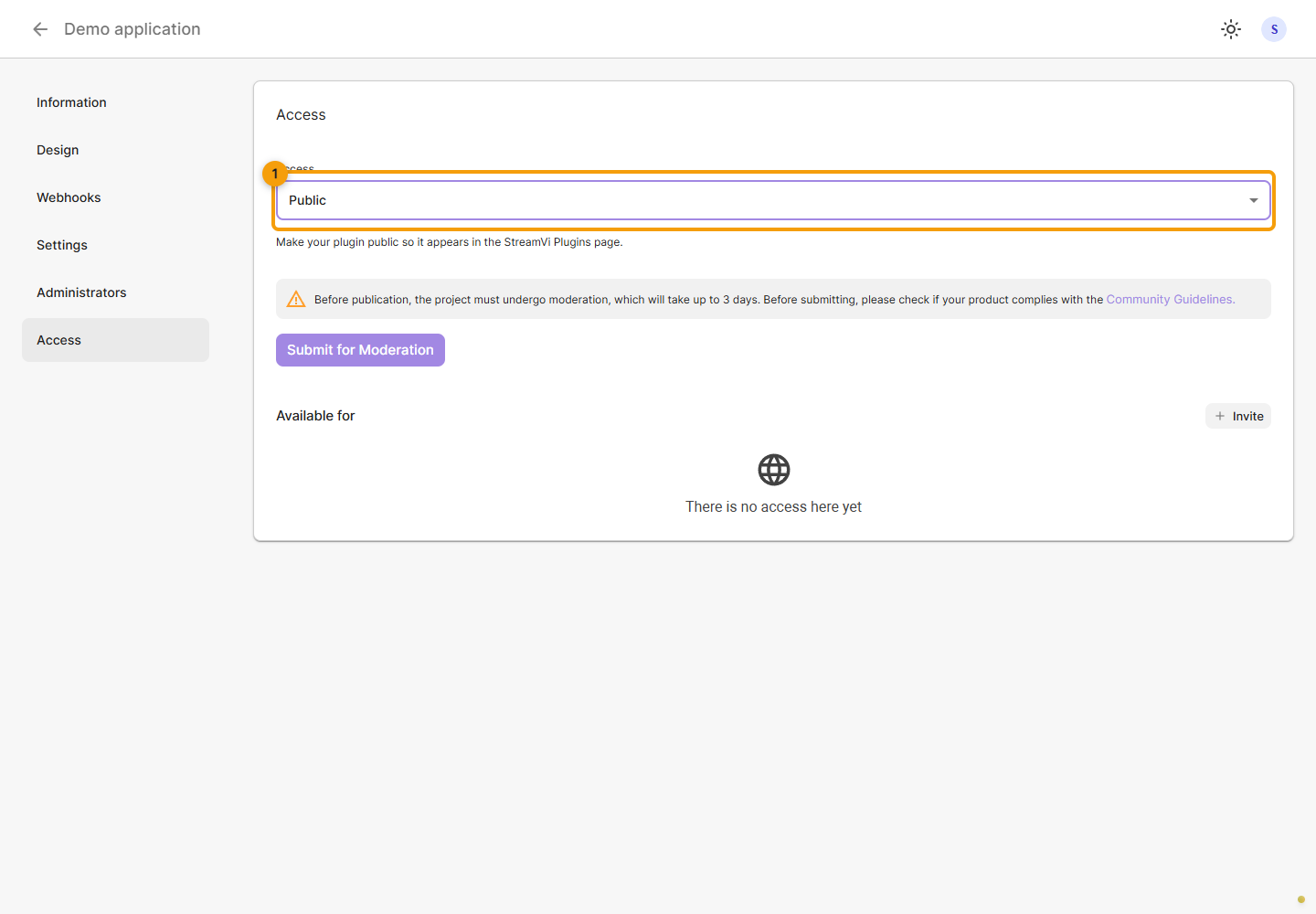
Submit for moderation
To publish, select Public. Selecting the option alone does not publish the application: submit a moderation request.
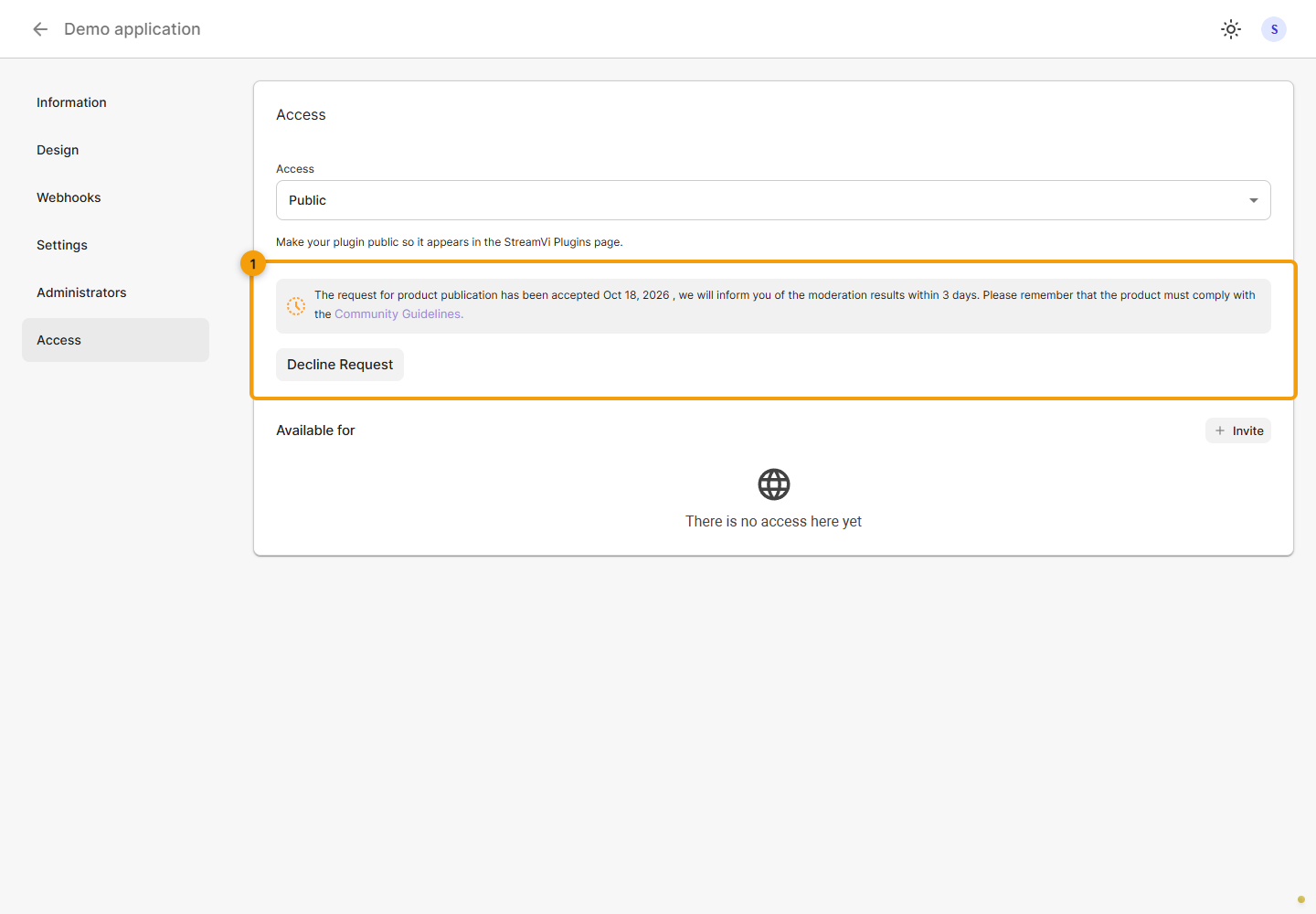
Check the status
After submission, check the pending moderation message and request date. Until a decision is made, you can withdraw the request with confirmation. Pending review does not mean the application has been published.
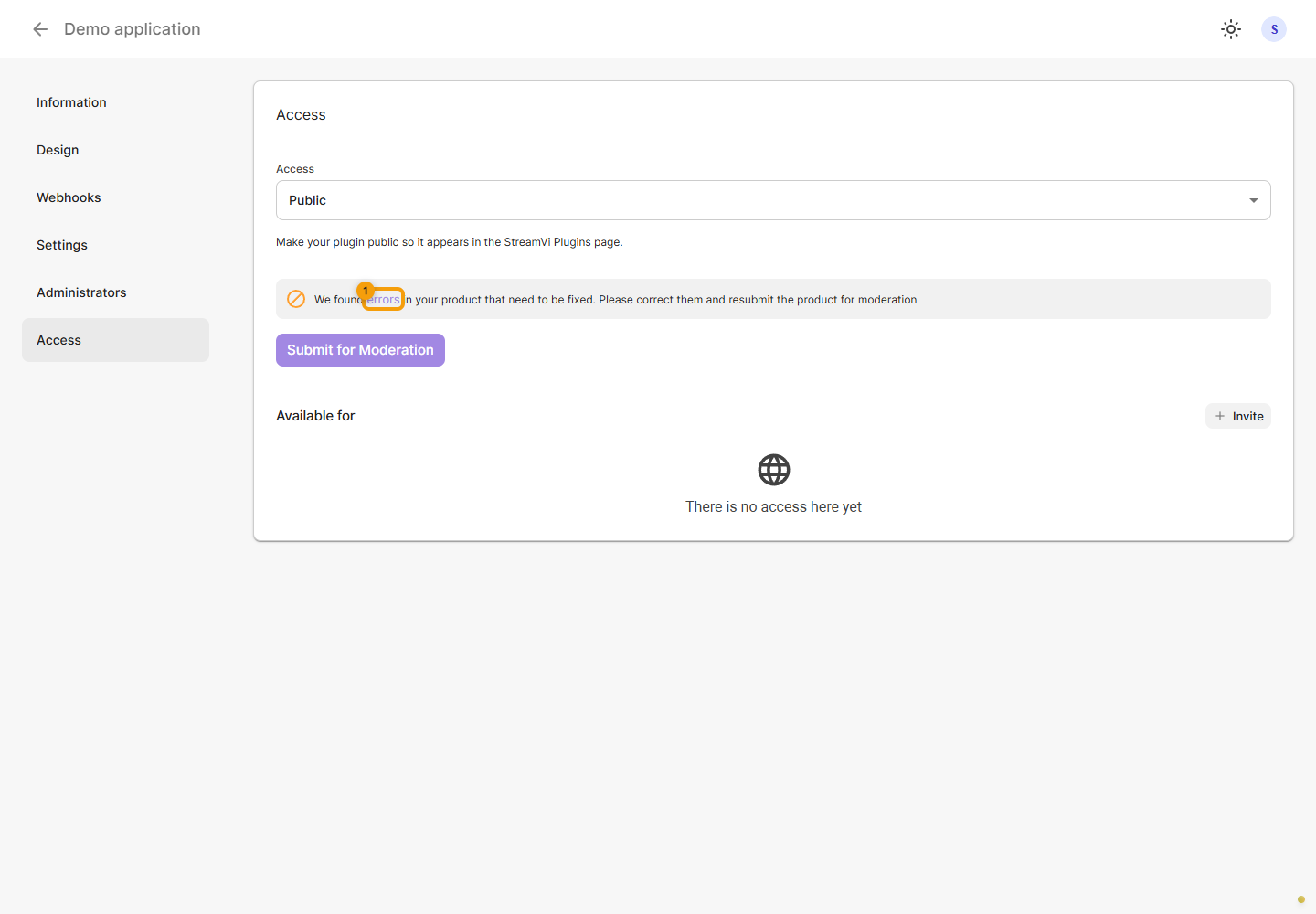
Correct errors
If rejected, click Errors to read the reason. The example shows a fictional rejection, not a complete list of publication requirements.
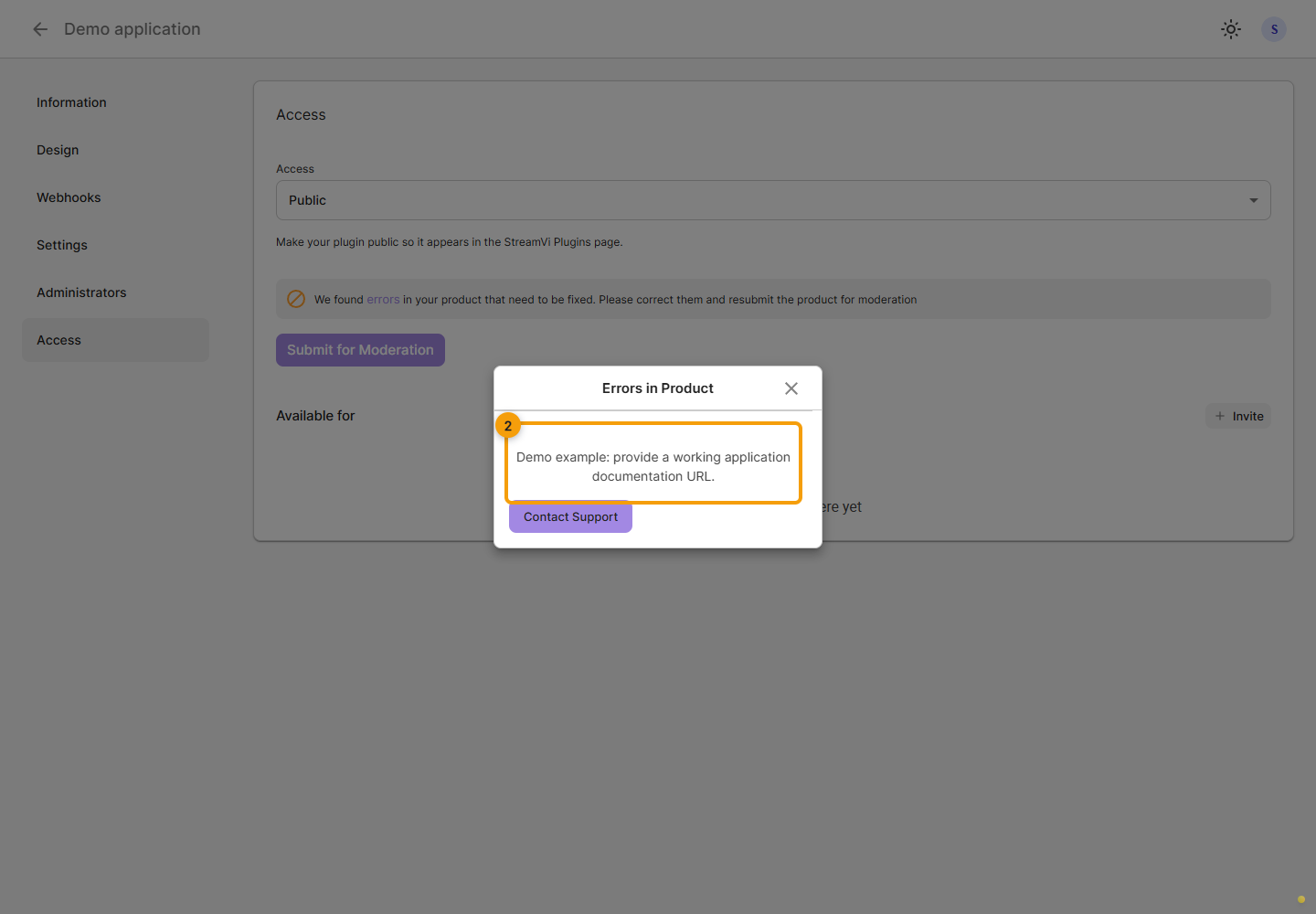
Read the reason in the dialog, close it with the cross and correct the indicated application settings.
After making corrections, return to Access and click Submit for moderation. Check that the status changes to pending review. Follow the current Cabinet status; a card link alone does not prove publication.
Related guides: information, design, settings and plugin installation.